The summary in 3 points:
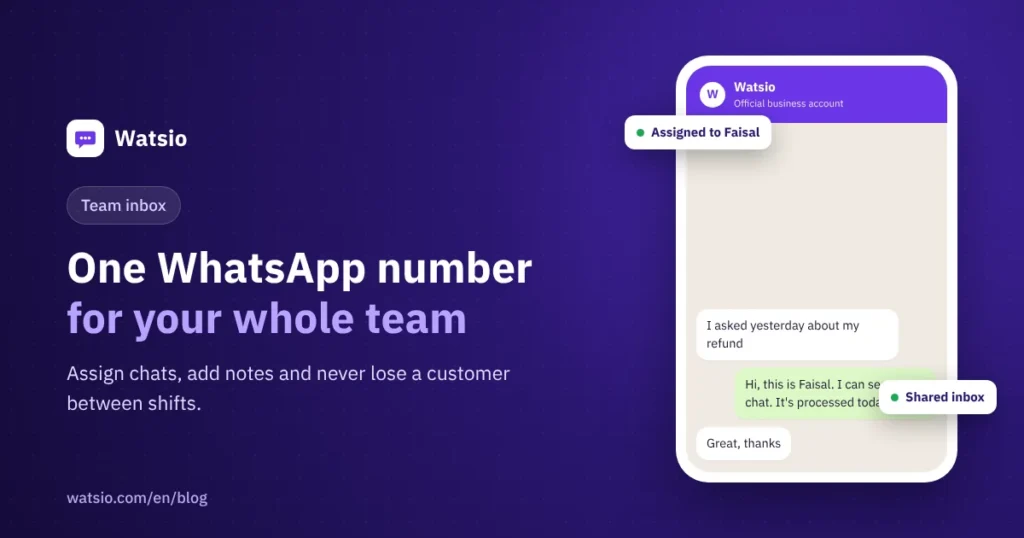
- WhatsApp for multiple employees means a shared inbox on one number: every conversation has an owner, plus internal notes, saved replies and team performance reports.
- The price is for the whole account, not per user: 3 members on Lite, 6 on Starter, 15 on Growth and unlimited on Professional, and the AI assistant covers after-hours.
- You can keep using the WhatsApp Business app on the same number; chats show in both the app and Watsio, and the last 6 months of chats come with you.
“Every employee replies from their personal phone, we don’t know who replied to the customer, and when an employee leaves, the conversations leave with them.” If this sounds like your team, the problem is not your staff. It is that the WhatsApp app was designed for one person and one phone.
In this article we explain how one WhatsApp number for multiple employees works on the official WhatsApp Business Platform by Meta, what changes for your number when you move, and what it really costs.
When does a single WhatsApp number become a problem for your team?
At first, one phone and one number are enough. But as messages grow, clear signs show that the setup no longer works:
- One phone for everyone: Staff take turns using it, or each employee replies from a different number and the customer gets lost between numbers.
- Nobody knows who replied: Two staff members message the same customer, or a customer gets no reply at all.
- Night messages get lost: A customer writes after hours, and by morning their chat is buried under new ones.
- No numbers: You do not know how many conversations came in, the average reply time, or who your best performer is.
The most serious point is that conversations live on the employee’s phone. If they leave, the customer relationships and history leave with them.
How does one WhatsApp number for multiple employees work?
The idea is that the number does not live on a phone but on the official WhatsApp platform, and the whole team replies from it at the same time from the Watsio dashboard in the browser. Setup goes through these steps:
- Sign up and start the trial: 14 days with all features and no card.
- Connect the number to the official WhatsApp platform: You connect it yourself from the dashboard, and our Arabic support on WhatsApp helps you through the steps.
- Add your employees: Each employee gets their own account and permissions, so a sales rep does not necessarily see what the manager sees.
- Set assignment rules: Who receives which type of conversation, and what your working hours are.
- Turn on the AI assistant after hours: It replies only outside working hours if you want, and hands conversations to the team in the morning.
What tools does your team need inside the shared inbox?
The shared inbox brings WhatsApp into one place, along with other channels such as Instagram, Messenger, Telegram and website chat. The key features are:
- Assignment: Every conversation has one owner and moves between employees with its full context.
- Internal notes: An employee can leave a note for a colleague inside the conversation without the customer seeing it.
- Saved replies: Answers to common questions are saved, so everyone replies quickly and in the same style.
- Tickets and delay alerts: Support tickets with attachments, and an alert when a reply is later than the set time.
- Customer profile: A full record for each customer, follow-up reminders and a Kanban board.
- Service rating and reports: The customer rates the service after the conversation is closed, and the manager sees reply times and each employee’s performance.
Who replies to customers after hours?
The Watsio AI assistant replies in the customer’s Saudi dialect, understands voice notes, and learns from your website and files. You can set it to work after hours only, so it does not get in your team’s way during the day.
If the conversation needs a person, the assistant hands it to the right employee with a summary. Each plan has a fixed cap on AI replies, so you will not get a surprise bill. Details are in the article AI auto-reply on WhatsApp.
WhatsApp Business app or a platform for a whole team?
The WhatsApp Business app is great for a business owner who replies personally. But as the team grows, the difference becomes clear:
| Item | WhatsApp Business app | Watsio (official WhatsApp Business Platform by Meta) |
|---|---|---|
| Number of employees | Limited by linked devices | By plan: 3, 6, 15 or unlimited |
| Conversation assignment | Manual | Automatic, and every conversation has an owner |
| Auto-reply | Fixed greeting and away message | An AI assistant that understands dialect and voice notes |
| Campaigns | Limited broadcast lists | Official campaigns with templates that go through Meta review, with reports |
| Reports | Basic statistics | Reply times, ratings and team performance |
For the full comparison, read the difference between the WhatsApp Business app and the WhatsApp API.
What happens to your number and the WhatsApp app when you move to the platform?
This question deserves a clear answer before you start, so nothing surprises you after you connect:
- The number works on the app and the platform: When you connect it to the official WhatsApp platform, it keeps working on the WhatsApp Business app and you also reply from it through the Watsio dashboard in the browser.
- The app stops working on this number: You can keep using the WhatsApp Business app on the same number; chats show in both the app and Watsio, and the last 6 months of chats come with you.
- Your recent chats come with you: the last 6 months of chats show in the platform, and older ones stay in the app on your phone.
- The second-number option: If you want to keep the WhatsApp app on your current number, use a second business number on the platform.
Business verification with Meta is a separate step from connecting the number and has its own requirements. Read the guide to WhatsApp Business account verification in Saudi Arabia.
How much does the platform cost for a large team?
Watsio is priced for the whole account, not per user. That means adding an employee within your plan’s limits does not change the bill:
| Plan | Team members | Monthly price (before VAT) | Per month, billed annually |
|---|---|---|---|
| Lite | 3 | SAR 79 | SAR 63 |
| Starter | 6 | SAR 199 | SAR 159 |
| Growth | 15 | SAR 499 | SAR 399 |
| Professional | Unlimited | SAR 1,199 | SAR 959 |
For example, a team of 10 employees is covered by Growth at SAR 499 a month before VAT for the whole account. Watsio does not cap platform messages on any plan (Meta fees apply).
Meta fees remain separate and are paid to Meta directly with zero margin from us. Inbound customer messages are free, and the first 1,000 service replies per month per number within the 24-hour window have no Meta fees. After that they are charged at about SAR 0.04 under Meta’s current tariff. So if your team replies to 3,000 service conversations in a month, 2,000 of them are charged × 0.04 ≈ SAR 80. Work out your own case with the WhatsApp cost calculator.
How does Watsio help?
Watsio is a platform on the official WhatsApp Business Platform by Meta, from Flow Less Company in Riyadh, and a Meta Tech Provider. It brings your team together on one number with a shared inbox, assignment for every conversation, internal notes, saved replies, reports, and an AI assistant that covers after-hours.
A small team starts with the Starter plan at SAR 199 a month before VAT for six members, and a larger team fits the Growth plan at SAR 499 before VAT for fifteen members. See the details on the shared team inbox page.
Related articles: The difference between the WhatsApp Business app and the WhatsApp API and WhatsApp for real estate offices. You can also see Watsio plan prices and try it free for 14 days with no card.
Frequently asked questions
Can more than one employee reply on one WhatsApp number?
Yes. After you connect the number to the official WhatsApp platform, the whole team replies from it at the same time from the Watsio dashboard in the browser, and every conversation has an owner.
Does the price go up with every employee I add?
No. The price is for the whole account, and plans include 3, 6, 15 or unlimited members depending on the plan.
Does the WhatsApp app keep working on the number after connecting it to the platform?
Yes. You can keep using the WhatsApp Business app on the same number; chats show in both the app and Watsio, and the last 6 months of chats come with you.
What happens to old chats?
You can keep using the WhatsApp Business app on the same number; chats show in both the app and Watsio, and the last 6 months of chats come with you.
Does the AI assistant reply instead of the team all day?
It is up to you. You can set it to reply only after hours, and it hands the conversation to the right employee when needed.
Read next
- WhatsApp Business Auto Reply: Greeting, Away and Quick Replies
- WhatsApp Business calling: in-chat calls and what they cost
- Prepare your WhatsApp AI assistant: data, instructions, testing
Sources
Last updated: November 2026 · Watsio team.