Key takeaways:
- The WhatsApp Business app has three free reply tools: a greeting message for new customers, an away message for after hours, and quick replies you pull up by typing “/”.
- All three live under Business tools. You choose who gets the greeting and away messages, and when the away message goes out.
- The limits are clear: one fixed message for everyone, no understanding of the customer’s question, and your phone must be online for away messages to send.
“How do I make WhatsApp Business reply to customers automatically when I am busy or the shop is closed?” The WhatsApp Business app does this for free with greeting and away messages, and it speeds up your manual replies with quick replies. This guide walks through each tool step by step inside the app, with sample messages, and shows when these tools stop being enough.
Where are the auto-reply settings in WhatsApp Business?
Everything sits under Business tools. On Android, open it from the three-dot menu, or from the Tools tab in newer versions. On iPhone, it is in Settings. Option names can vary slightly by app version.
| Tool | When it runs | What you control | Limits |
|---|---|---|---|
| Greeting message | When a new customer starts a chat with your business | Message text and recipients | One fixed message for everyone |
| Away message | Always, on a custom schedule, or outside business hours | Text, schedule and recipients | Your phone must be online |
| Quick replies | When you type “/” in a chat and pick a reply | Text or media, and a shortcut | Up to 50 replies, sent by you manually |
How do you turn on a greeting message, step by step?
- Open Business tools, then Greeting message.
- Turn on Send greeting message.
- Tap the message, edit the text, then tap OK.
- Tap Recipients and choose: Everyone, Everyone not in address book, Everyone except…, or Only send to….
- Tap Save.
Tip: pick “Everyone not in address book” so the greeting does not go to family and staff.
Example for a restaurant in Khobar:
“Welcome to Layali Khobar! Our menu and prices are in the catalog. To order, send the dish name and your neighborhood. We’ll reply within minutes.”
How do you set an away message, and when does it send?
According to the WhatsApp Help Center, the steps on Android are:
- From the Tools tab or Business tools, tap Away message.
- Turn on Send away message.
- Edit the message and tap OK.
- Tap Schedule and choose one of three: Always send, Custom schedule, or Outside of business hours.
- Tap Recipients and pick from the same four options.
- Tap Save.
“Outside of business hours” only appears if you have set business hours in your business profile, so add your hours first. Also, your phone needs an active internet connection for away messages to send. If the phone is off at night, the customer gets nothing.
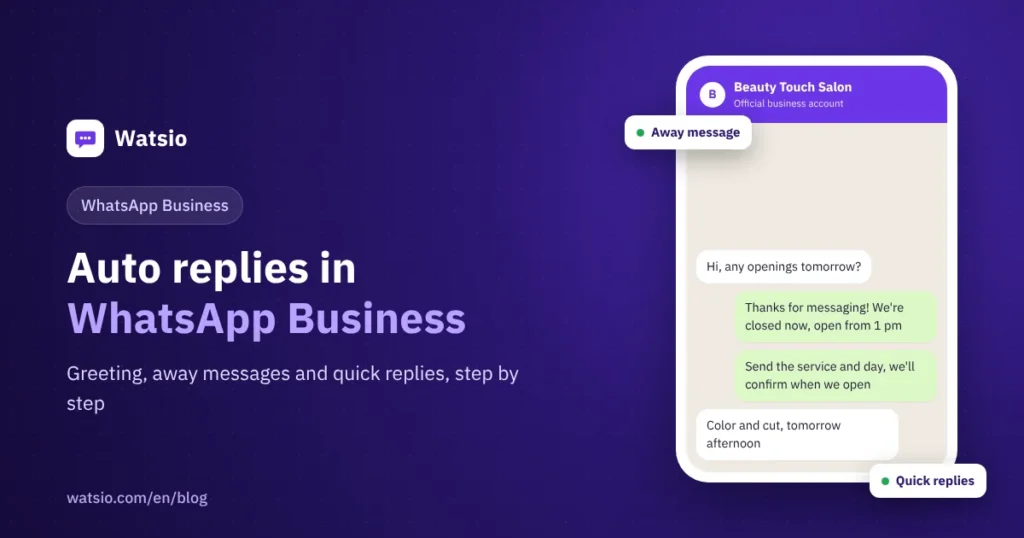
Example for a salon in Riyadh:
“Hi, thanks for messaging! The salon is closed right now. We’re open 1 pm to 10 pm. Send the service and the day that suits you, and we’ll confirm your booking as soon as we open.”
How do you create quick replies and use them with a shortcut?
- Open Business tools, then Quick replies, and tap Add.
- Type the message. You can add a photo or video.
- Set a Shortcut, a short word that describes the reply, then save.
- In any chat, type “/” to see all your replies, pick one, edit if needed, and send.
Ideas for quick replies: location and map link, opening hours, payment methods, return policy, delivery fees. Note the maximum is 50 quick replies, and according to WhatsApp, media in quick replies does not work on WhatsApp Web or Desktop.
What are the limits of auto replies in the WhatsApp Business app?
- No understanding: greeting and away messages send the same text to everyone, whether the customer asks about a price, a booking or a complaint.
- No booking or selling: the customer gets the message, then waits for you. Meanwhile, they may message someone else.
- Depends on your phone: away messages need the phone online.
- Quick replies are manual: they save typing, but they do not answer for you.
- Teams: the app has no chat assignment between staff and no performance reports like team platforms.
In 2026, Meta also added the Meta Business Agent as an option for businesses. See what it does and costs in Meta Business Agent on WhatsApp.
When do you need more than the app settings?
When more than one person replies, when after-hours questions need a real answer instead of “we’ll get back to you”, or when you want bookings, deposits and a link to your store. That is when you move to the WhatsApp Business Platform (API) with an AI assistant and a team inbox. Read WhatsApp Business app vs API and AI auto replies on WhatsApp.
How Watsio helps
Watsio runs on the official WhatsApp Business Platform. Instead of a fixed away message, the AI assistant answers the customer’s actual question in their Saudi dialect, around the clock. It books appointments and takes deposits from the Lite plan, and hands chats to staff when needed, all in one team inbox. Plans start at SAR 79 a month before VAT. Note that your number moves from the app to the platform and old chats stay on the phone, so use a second number if you want to keep the app. See Watsio for salons.
Related reading: WhatsApp team inbox and WhatsApp links and QR codes for your business. You can also see Watsio plans and pricing and try it free for 14 days, no card needed.
Frequently asked questions
Are auto replies in WhatsApp Business free?
Yes. Greeting messages, away messages and quick replies are free tools inside the WhatsApp Business app.
Why is my away message not sending?
Usually because the phone is not connected to the internet, or the schedule or recipients are set in a way that excludes the customer. Check the phone’s connection and your schedule and recipient settings.
Why don’t I see the Outside of business hours option?
It only appears after you add business hours to your business profile.
How many quick replies can I save in WhatsApp Business?
Up to 50, according to the WhatsApp Help Center. They can include photos and videos, but media in quick replies does not work on WhatsApp Web or Desktop.
Can WhatsApp Business reply based on what the customer asks?
The app’s basic tools send the same text to everyone. To reply based on the question, you need an AI assistant on the WhatsApp Business Platform or a business-specific AI tool.
Sources
- WhatsApp Help Center: How to use away messages
- WhatsApp Help Center: How to use quick replies
- WhatsApp Business app features
Last updated: November 2026 · Watsio team.