Summary in 3 points:
- A fixed WhatsApp auto-reply works with keywords and menus, while an AI assistant understands the customer’s question in their own dialect and answers from your business data and files.
- A good assistant answers repeated questions and hands the chat to a staff member for complaints, negotiation or missing information, and it doesn’t make up a price that isn’t in your data.
- At Watsio, AI messages start at 1,000 per month on the Lite plan at SAR 79 before VAT, with a fixed spending cap for each plan.
“Customers ask the same question twenty times a day, and our auto-reply just sends them a numbered menu that doesn’t understand what they’re asking.” We hear this complaint often from store, clinic and real-estate office owners. Customers write in their own way, sometimes they send a voice note, and a rigid menu understands none of that.
In this guide we explain the difference between a traditional WhatsApp auto-reply and an Arabic WhatsApp chatbot that understands dialect, what it can and can’t do, when it hands the chat over to your team, and how to set it up step by step.
What’s the difference between a fixed auto-reply and an AI assistant?
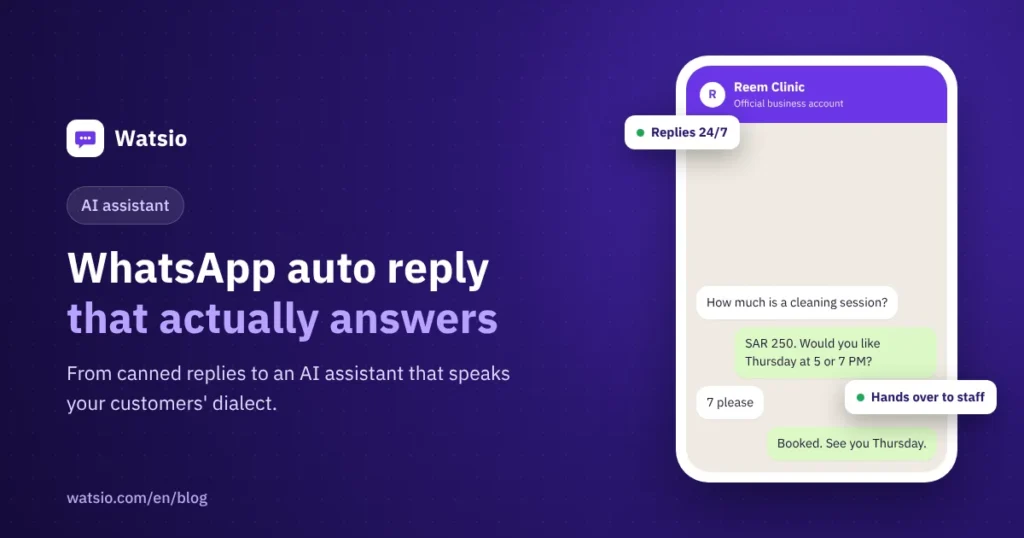
A fixed auto-reply looks for a specific word in the customer’s message, such as “price” or “location”, then sends a pre-written reply. If the customer phrases the question differently or with a typo, the reply doesn’t recognize it and sends the menu again.
An AI assistant reads the whole question and understands what’s meant, then looks for the answer in your business information and replies in a natural sentence. The table below sums up the difference:
| Criterion | Fixed auto-reply (keywords) | Watsio AI assistant |
|---|---|---|
| Understanding the question | Matches specific words only | Understands the meaning even when the wording changes |
| Saudi dialect | Struggles with dialects and typos | Understands the customer’s dialect and replies in it |
| Voice notes | Can’t handle them | Understands them and replies by voice |
| Source of answers | Texts you write by hand for each keyword | Your website, your files and your business knowledge base |
| Handover to staff | A fixed button in the menu | Hands over automatically based on the case or the customer’s request |
| Best use | A welcome message and a simple options menu | Repeated questions, bookings and lead qualification |
The two approaches don’t conflict: you can keep a fixed welcome message and let the assistant carry on the conversation.
What can the AI assistant do, and what doesn’t it do?
The assistant is useful for the repetitive tasks that take up your team’s time every day:
- Answering about listed prices, sizes, delivery, payment methods, working hours and locations.
- Replying instantly after hours and collecting customer details for follow-up in the morning.
- Qualifying customers with questions about their needs, city and budget before handing them to sales.
- Booking and confirming appointments. Bookings are available from the Lite plan.
On the other hand, there are things it shouldn’t do: it doesn’t give a discount you haven’t set, doesn’t promise an unconfirmed delivery date, and doesn’t answer topics outside your business. In WhatsApp for clinics, it gives no medical advice. It only books appointments and answers administrative questions.
When does the assistant hand the chat to a staff member?
The simple rule: the assistant handles repeated questions, and staff handle decisions and relationships. So it hands the chat to your team in these cases:
- A complaint or an angry customer.
- Price negotiation or an unusual special request.
- A payment or return problem that needs a decision.
- A question with no reliable information in your business data.
- The customer explicitly asks to talk to a staff member.
On handover, the chat lands in your team’s shared inbox, so the staff member sees everything the customer said and picks up where the assistant left off, without the customer having to repeat themselves.
Where does the assistant learn about your business?
You don’t need to write every answer by hand. You add your website link and upload your files, such as your price list, terms or product brochure, and the assistant learns from them and answers based on them.
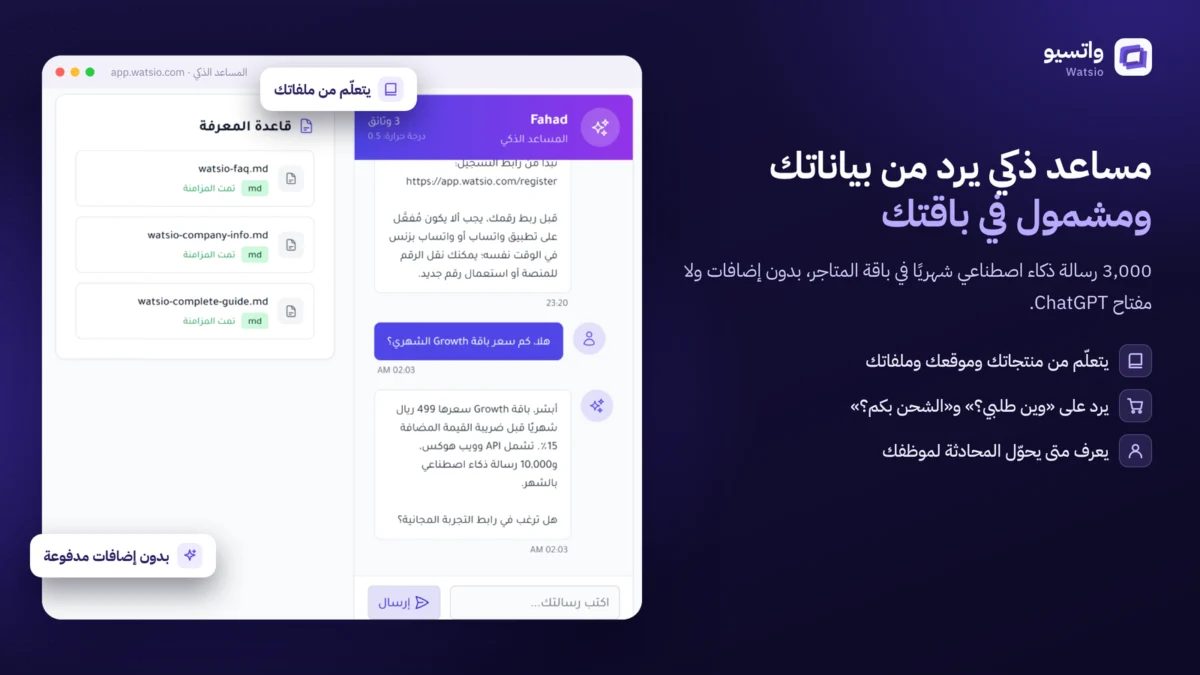
The quality of the answer depends on the quality of the information. If your price list is outdated, the assistant will quote outdated prices, so make updating your files part of your weekly routine.
Does it understand dialect and voice notes?
Yes. The Watsio assistant understands the customer’s question in Saudi dialect and replies in the same style, whether they write “How much is it?” or “What’s the price on this one?”. You can also choose the tone, formal or friendly, to suit your brand.
As for voice notes, the assistant listens to them and replies by voice. This feature is available on every plan, with monthly voice minutes by plan (from 200 on Lite to 6,000 on Professional), and it’s useful for customers who prefer recording a voice note to typing.
How do you make sure it doesn’t make up prices?
Business owners’ biggest worry is the assistant quoting a wrong price or making a wrong promise. That’s why we put clear controls in place:
- It answers only from your business data, and if it can’t find the information it hands over to a staff member instead of guessing.
- You define what it must not say, such as discounts or unconfirmed delivery dates.
- A fixed spending cap on every plan, so there’s no open-ended AI bill to surprise you at the end of the month.
How many AI messages does each plan include?
Regular messages on the platform are unlimited on every plan, while AI assistant replies have a monthly quota:
| Plan | Monthly price before VAT | AI assistants | AI messages per month |
|---|---|---|---|
| Lite | SAR 79 | 2 | 1,000 |
| Starter | SAR 199 | 5 | 3,000 |
| Growth | SAR 499 | 15 | 10,000 |
| Professional | SAR 1,199 | Unlimited | Unlimited |
Meta fees stay separate: messages customers send you carry no fee, and for service replies within the 24-hour window, the first 1,000 per month per number carry no Meta fee, then about SAR 0.04 per message, approximately, under Meta’s current tariff. Details are in our guide to WhatsApp API pricing in Saudi Arabia.
What does Meta require of AI bots?
Since 15 January 2026, Meta’s policy bans running “general-purpose” AI assistants on the WhatsApp Business Platform, meaning bots that answer any topic, like general assistants do. What’s allowed is an assistant that serves your business’s customers, products and services.
That’s why the Watsio assistant is designed to stay within the scope of your business and runs on Meta’s official WhatsApp, which reduces the risk of bans compared with unofficial solutions.
How to set up an Arabic WhatsApp chatbot step by step
- List the 20 questions your customers ask most and their approved answers.
- Add your website link and upload your price lists, terms and policies.
- Set the reply tone: formal, or friendly in Saudi dialect.
- Write down the don’ts: no discounts, no delivery date promises, no topics outside your business.
- Define the handover cases, such as complaints or requests to talk to a person.
- Test the assistant yourself with hard questions and different dialects before turning it on for customers.
- Review chats weekly and add any missing information.
If you want to see the result before you start, message Watsio’s assistant “Fahd” on WhatsApp at +966594005858 and ask it in your own words.
How does Watsio help?
Watsio is an Arabic-first platform for Meta’s official WhatsApp that brings the AI assistant and a shared team inbox together in one web dashboard. The assistant learns from your website and files, replies in your customers’ dialect, and hands over to staff when needed. You start from the Lite plan at SAR 79 per month before VAT with 1,000 AI messages, and voice is included on every plan, with monthly voice minutes by plan (from 200 on Lite to 6,000 on Professional). Learn about the shared inbox and AI assistant, or start from the Watsio home page.
Related articles: Guide to approved WhatsApp message templates and The WhatsApp shared team inbox. You can also check Watsio plan prices and try it free for 14 days, no card needed.
Frequently asked questions
Does the AI assistant replace a customer service employee?
No. The assistant handles repeated questions and after-hours replies, and hands over to staff for complaints, negotiation or missing information, so your team can focus on the chats that need a decision.
Can the assistant quote a wrong price?
The assistant answers only from your business data and files, and if it can’t find the information it hands the chat over to a staff member. So make sure you keep your price list up to date.
Does the assistant understand voice notes?
Yes, the assistant listens to voice notes and replies by voice. This feature is available from the Growth plan at SAR 499 per month before VAT.
Does Meta allow AI on WhatsApp Business?
Meta allows an assistant that serves your business’s customers and products, and since 15 January 2026 it bans general-purpose assistants that answer any topic.
How can I try the assistant before subscribing?
Message Watsio’s assistant “Fahd” on WhatsApp at +966594005858, or try Watsio free for 14 days with all features and no card.
Read next
- AI agent or chatbot? The difference and when to use each
- Prepare your WhatsApp AI assistant: data, instructions, testing
- Why ChatGPT Left WhatsApp and What Business AI Is Still Allowed
Sources
Last updated: November 2026 · Watsio team.