Summary in 3 points:
- WhatsApp templates come in three types: marketing at about SAR 0.22 per message, and utility and authentication at about SAR 0.04, approximately, under Meta’s current tariff.
- You only need an approved template when you start the conversation or after the 24-hour window has closed. Replying inside the window needs no template.
- A clear template that names your business, gives realistic sample values for variables and lets customers stop offers passes Meta’s review more easily.
“I wrote the template three times and it came back rejected every time, and I don’t know what’s wrong.” This is one of the most common messages we get from store and clinic owners when they start using official WhatsApp. The cause is usually not the idea itself, but the category, the wording, or the way the variables are written.
In this guide we explain the types of approved WhatsApp message templates, what each type costs, when you need a template at all, and how to write a template that passes Meta’s review, with ready-to-use examples you can copy and adapt.
What are WhatsApp templates and when do you need them?
A template is a fixed text that Meta reviews before you use it. It contains variables that change for each customer, such as the name, order number or appointment time. You write a variable like this: {{1}} and {{2}}.
You need a template in only two cases: when you start the conversation with the customer, or when 24 hours have passed since their last message. If the customer messages you, a 24-hour service window opens, and during it you reply with normal messages, no template needed.
Inside this window, the first 1,000 service replies per month per number carry no Meta fee, then about SAR 0.04 per message, approximately. Messages customers send you never carry a fee.
What types of approved WhatsApp message templates are there?
Meta splits templates into three categories, each with a different purpose and cost:
| Category | Purpose | Examples | Approx. cost per delivered message |
|---|---|---|---|
| Marketing | Selling, promotion and re-engagement | Offer, discount, new product, abandoned cart reminder | SAR 0.22 |
| Utility | An update on an order or transaction the customer started | Order confirmation, shipping, appointment reminder, invoice | SAR 0.04 |
| Authentication | One-time verification codes | Login code or transaction confirmation | SAR 0.04 |
Prices are approximate under Meta’s current tariff in Saudi Arabia and change roughly every quarter. Meta bills the business directly, and Watsio adds no margin on top.
A worked example: a store sends 1,000 order confirmations and 2,000 offer messages a month. The confirmations cost about 1,000 × 0.04 ≈ SAR 40, and the offers about 2,000 × 0.22 ≈ SAR 440, for a total of roughly SAR 480. Work out your own case with the WhatsApp message cost calculator.
Does Meta change a template’s category?
Yes. If you register a utility template with any promotional content, such as “Your order is on its way, and use the discount code on your next order,” Meta may recategorize it as marketing and charge you on that basis.
The fix is to separate service from marketing in different templates: a utility template for the information only, and a separate marketing template for the offer. That way your service message costs stay low and predictable.
How do you write a template that passes Meta’s review?
- Choose the right category for the message’s actual purpose, not for the lowest cost.
- Set the template language to match the text (for example, Arabic if the text is in Arabic).
- Mention your business name in the text so the customer knows who is sending.
- Give realistic sample values for variables when you submit, such as “Sarah” and “10452”, not “test”.
- Don’t start or end the template with a variable, and don’t put two variables next to each other with no text between them.
- Write clearly, without misleading promises or threatening phrases like “your account will be suspended”.
- Use links on your own website domain instead of unknown short links.
- In marketing templates, add a quick-reply button to stop offers, such as “Stop offers”.
Remember that a marketing template is only sent to people who agreed to receive your messages, which is a requirement under the Personal Data Protection Law for WhatsApp marketing.
Why do templates get rejected?
Most rejections happen for the same reasons:
- The wrong category, such as promotional content inside a utility template.
- Vague text that is mostly variables, so Meta can’t tell what it’s for.
- Unrealistic or missing sample values for variables.
- Misleading or pushy content, or products banned by WhatsApp’s Commerce Policy.
- Short links or links from unknown sources.
- A duplicate with the same text as a template you already have.
If a template is rejected, don’t resubmit it as is. Read the rejection reason, change the wording or the category, then submit it again.
Ready-to-use WhatsApp template examples
Here are examples you can adapt to your business. The variables in braces are replaced automatically for each customer:
| Use | Category | Template text |
|---|---|---|
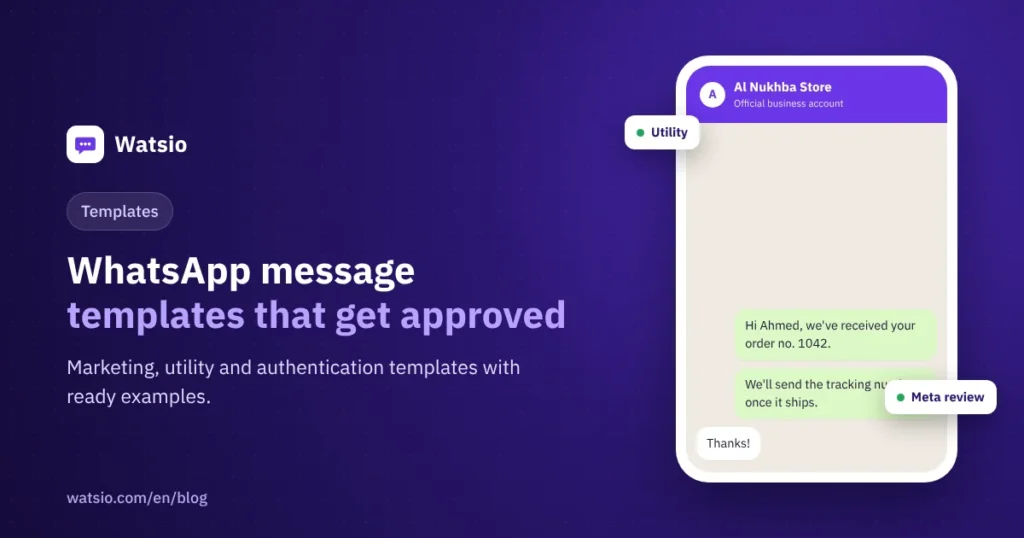
| Order confirmation | Utility | Hi {{1}}, we’ve received your order no. {{2}} from Al Nukhba Store. We’ll send you the tracking number once your order ships. Thank you for your trust. |
| Shipping update | Utility | Hi {{1}}, your order no. {{2}} is out for delivery with {{3}}. You can track the shipment using the button below. |
| Appointment reminder | Utility | Hi {{1}}, this is a reminder of your appointment at Al Nada Clinic on {{2}} at {{3}}. To confirm or reschedule, choose one of the buttons. |
| Payment reminder | Utility | Hi {{1}}, your invoice no. {{2}} for SAR {{3}} is awaiting payment. The payment link is below. |
| Abandoned cart | Marketing | Hi {{1}}, your items are still in your cart at Al Nukhba Store. Complete your order now before they sell out. Button: Complete order, Button: Stop offers. |
| Seasonal offer | Marketing | Hi {{1}}, SAR {{2}} off the winter collection at Lamsa Salon until {{3}}. Button: Book now, Button: Stop offers. |
| Verification code | Authentication | {{1}} is your verification code. Do not share it with anyone. (Fixed format from Meta with a copy-code button) |
The names in the examples are fictional. Authentication templates have a fixed format set by Meta, so don’t add links or promotional content to them.
How does Watsio help?
From the Watsio web dashboard you create the template, add variables and buttons, submit it for Meta review, track its status, then use it in campaigns or automatic notifications. Templates go through Meta review and we help you write them. Template management is available from the Lite plan at SAR 79 per month before VAT, and automatic order notifications and cart recovery from the Starter plan at SAR 199 before VAT. Learn about Watsio for online stores.
Related articles: Sending WhatsApp bulk messages the official way and WhatsApp API pricing in Saudi Arabia. You can also check Watsio plan prices and try it free for 14 days, no card needed.
Frequently asked questions
Do I need a template to reply to a customer who messaged me?
No. When a customer messages you, a 24-hour service window opens and you reply with normal messages during it. You only need a template when you start the conversation or after the window closes.
How much does a template message cost in Saudi Arabia?
A marketing template costs about SAR 0.22 per delivered message, and utility and authentication about SAR 0.04, approximately, under Meta’s current tariff, which changes roughly every quarter.
Why does Meta change my template from utility to marketing?
Because the template contains promotional content such as a discount or an offer. Split the service information and the offer into two separate templates.
Does Watsio approve templates on Meta’s behalf?
No. The review and the decision are Meta’s. Our role is to help you with wording and categorization to reduce the chance of rejection.
Read next
- WhatsApp Order Confirmation and Shipping Updates: Costs
- WhatsApp Pricing from October 2026: Service Messages After 1,000
- WhatsApp Business Auto Reply: Greeting, Away and Quick Replies
Sources
Last updated: November 2026 · Watsio team.