Key takeaways:
- An AI assistant’s answers depend on three things: organized, current information, clear instructions, and testing before launch.
- Write your information as if briefing a new hire: prices as numbers, explicit policies, and what each service does and doesn’t include.
- Don’t put it in front of every customer on day one. Test it with real questions, roll it out gradually, and review the first week closely.
“I switched on the AI assistant on WhatsApp, and it keeps saying it doesn’t have the information, or gives vague answers that don’t help. What’s missing?” The problem usually isn’t the AI itself. It’s the information you gave it and the instructions you wrote. The assistant answers from your data, so if that data is incomplete, outdated or contradictory, the answers will be too.
This guide covers preparation before launch. For the big picture on auto-replies and their limits, start with our guide to AI auto-replies on WhatsApp.
What information does the assistant need?
Start from your customers’ real questions, not your marketing brochure. Open the last month of WhatsApp chats, list the recurring questions, then prepare clear information for each type:
| Information type | Example | Writing tip |
|---|---|---|
| Prices and packages | Haircut SAR 80, color from SAR 250 | Exact numbers plus what the price includes |
| Hours and location | 4 pm to midnight, Friday after prayer | Write Ramadan and Eid hours separately |
| Delivery and returns | Delivery inside Riyadh within two days | State exceptions and cities not covered |
| Bookings and deposits | SAR 50 deposit deducted from the bill | Explain when it’s refundable and when not |
| Payment methods | mada, Apple Pay, bank transfer | Also say what you don’t accept |
| Common questions | Is there parking? Is there a family section? | A short question and answer for each point |
The figures above are examples only. Watch for these common mistakes:
- Old files: last year’s price list in one file, the new one on the website. Delete the old one, because the assistant can’t tell which you mean.
- Information inside images: a menu designed as an image, or a PDF full of graphics. Add a plain-text version next to it.
- Vague phrases: “competitive prices” or “fast delivery” don’t help. Write the number and the time.
- Scattered information: keep each topic in one file or section, with a clear title and a last-updated date.
How do you write the assistant’s instructions?
Instructions are the assistant’s personality and boundaries. Keep them short and cover these points:
- Tone: reply in friendly Saudi dialect, short sentences, no hype.
- Goal: what outcome do you want from the chat? A booking, a completed order, or a qualified lead.
- Off-limits: no discounts that aren’t written down, no delivery promises that aren’t in the data, no talk about competitors.
- Scope: for clinics, no medical advice of any kind, only appointments and admin information. See Watsio for clinics.
- When it doesn’t know: say clearly it will check with the team, instead of guessing.
A short example for a salon:
You are the assistant for Rose Touch Salon in Riyadh. Reply in Saudi dialect with short sentences. Your goal is to book an appointment. Never offer a discount that isn’t on the offers list. If the customer asks about something not in your information, say you’ll pass them to the team. If the customer is upset or has a complaint, hand the chat to a staff member right away.
Set clear handover rules too: complaints, discount requests, payment problems, and anyone who asks for a person.
How do you test the assistant before launch?
- Collect 30 real questions from old chats, in the customers’ own words and typos.
- Try different phrasings of the same question: “how much is a cut?”, “haircut price?”, “what do you charge for a trim?”.
- Send voice notes in different accents, plus a product photo or screenshot, and check it understands them.
- Test awkward questions: a discount request, a competitor comparison, something completely outside your business.
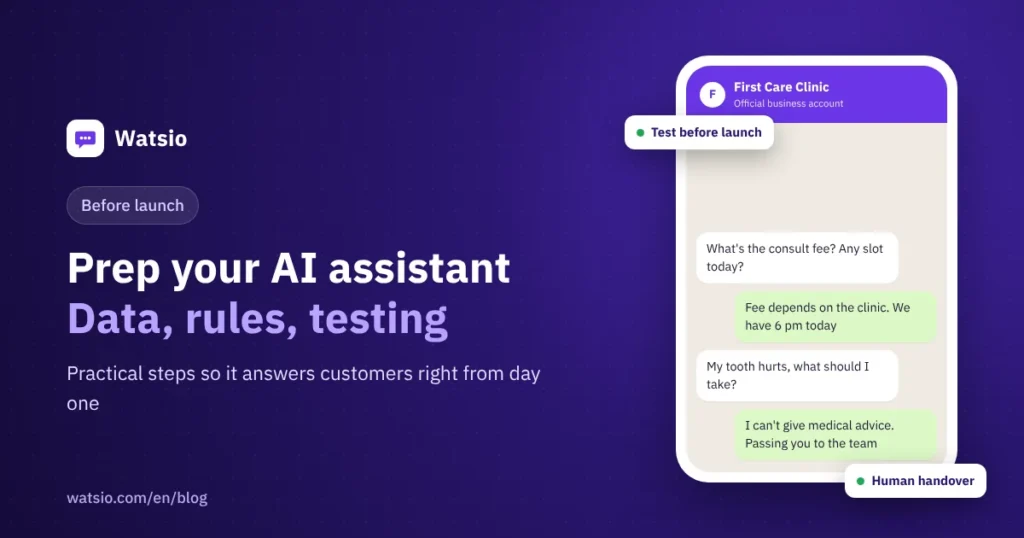
- Test the gaps: ask about a service you don’t offer. The right answer is no invention, plus a handover or an apology.
- Test handover: make sure a staff member actually receives the chat and sees its context.
- Fix the source, not the reply: if it answers wrong, edit the file or the instructions, then ask the same question again.
- Roll out gradually: start after hours or with a segment of customers, then expand once you’re confident.
What should you review in the first week?
- Questions it couldn’t answer: each one is missing information to add.
- Handover reasons: if the same reason repeats, you can usually cover it with new information or a rule.
- Replies that are too long or too formal: adjust the tone in the instructions.
- Usage: compare AI messages used against your plan’s limit so the month-end doesn’t surprise you.
After the first week, review monthly and update the information whenever prices or offers change. Still deciding between a menu bot and an AI assistant? Read AI agent vs traditional chatbot.
How Watsio helps
In Watsio, the AI assistant learns from your website and files, replies in the customer’s dialect around the clock, understands voice notes and images, replies by text or voice, and hands the chat to a staff member when needed. The Lite plan at SAR 79 per month before VAT includes 2 assistants and 1,000 AI messages a month, and you can try everything for 14 days without a card before customers see it. You can also chat with Fahd, Watsio’s own assistant, on WhatsApp at +966 59 400 5858. Want our team to set it up with you? There’s an optional managed setup for SAR 1,490 one time, and you can book a call for details.
Related reading: AI auto-replies on WhatsApp and WhatsApp for clinics. You can also see Watsio plans and pricing and try it free for 14 days, no card needed.
Frequently asked questions
How long does it take to prepare an AI assistant?
It depends on how organized your information is. If prices, policies and common questions are already written down, setup is much faster.
Why does the assistant say it doesn’t know when the answer is on my website?
Usually the information sits inside an image, is spread across several pages, or conflicts between two sources. Write it as clear text in one place, then test again with the same question.
What should I do when the assistant gives a wrong answer?
Don’t just correct the reply to the customer. Go back to the source: fix the file, information or instruction that caused the error, then ask the same question again to confirm.
Is an AI assistant suitable for clinics?
Yes, for appointments, prices and admin information, as long as the instructions clearly say it gives no medical advice and hands any medical question to the team.
How many AI messages do I need per month?
Estimate your monthly chats and how many assistant replies each chat takes. In Watsio, plans start at 1,000 AI messages a month on Lite, rise to 10,000 on Growth, and are unlimited on Professional.
Sources
- WhatsApp Business Messaging Policy
- WhatsApp Business Solution Terms
- Meta for Developers: Pricing on the WhatsApp Business Platform
Last updated: November 2026 · Watsio team.