The summary in 3 points:
- Organize WhatsApp orders with a clear flow: the menu inside the chat, then an order summary the customer confirms, then the order reaches your team or your system through the Foodics integration.
- Customers book a table from the chat with the date, number of guests and seating type, and get a reminder that costs about SAR 0.04 under Meta’s current tariff.
- Seasonal offers go only to customers who agreed to receive them, and a marketing message costs about SAR 0.22 per delivered message.
“Orders come in as messages and we mix them up, customers want to book a table without calling, and we want to send our seasonal offer to our customers.” Many restaurant and café owners in Saudi Arabia say this. At peak times, messages pile up on one phone at the cashier, and every late reply could be an order that went to another restaurant.
In this guide we explain how to use WhatsApp for restaurants in an organized way: taking WhatsApp orders without confusion, table bookings, understanding voice notes, seasonal offers, and the real cost of all of it.
Why do WhatsApp orders become chaotic?
The problem is not WhatsApp itself but how orders are received. The customer sends the order across several messages, then changes an item, then sends the location fifteen minutes later. Meanwhile the staff member replies from one phone while serving customers in the shop.
The result is missing items, unclear addresses and orders nobody knows were confirmed or not. The fix is to make every order go through the same steps and end with a single summary the customer confirms.
How do you organize WhatsApp orders from the first message?
Here is a practical flow the AI assistant can follow for every order:
- Menu in the chat: The assistant sends the menu, prices and today’s offers as soon as the customer asks.
- Taking the order: It asks about items, quantities, add-ons and notes, such as an allergy to a certain ingredient.
- Pickup or delivery: Delivery or pickup from the branch, with the location and a convenient time.
- One summary: It sends the customer the order summary and total to confirm before the order is prepared.
- Payment: A payment link inside the chat via Tap, PayTabs or Paymob (mada, Apple Pay and STC Pay), or cash on delivery, depending on your policy.
- Handover to the team: The order reaches the branch in a clear format, and goes to a staff member for any special case.
This way your staff get one ready order instead of ten scattered messages. The whole team replies from the Watsio dashboard in the browser on the same restaurant number, and every conversation has an owner. Read more about the shared WhatsApp team inbox.
What does the Foodics integration give you?
If your restaurant runs on Foodics, the Watsio integration connects your menu and orders to your system instead of copying them by hand from the phone to the cashier. This reduces copying errors and keeps the menu the assistant shows in line with what is in your system.
The integration is optional, and you can start without it. You can find the other available systems on the Watsio integrations page.
How can customers book a table without calling?
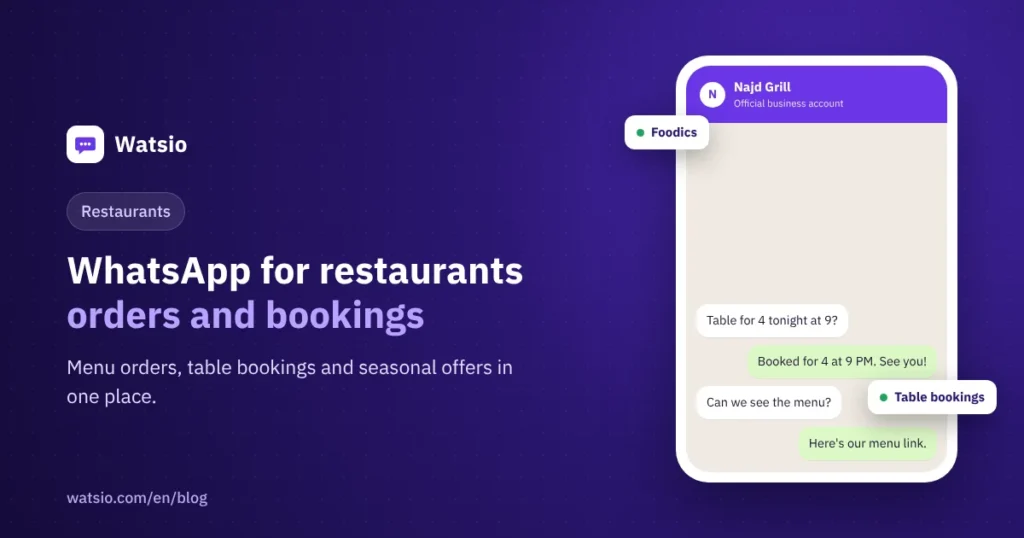
The customer writes the request in their own words, such as “I’d like a table for six on Friday at 9 pm.” The assistant checks availability at the requested branch and asks about the seating type (indoor or outdoor, family or singles section) and any occasion or note.
After confirmation, the customer gets a reminder before the booking and can cancel or change it in the same chat, so you learn about an empty table early. For large bookings or peak nights, you can ask for a deposit with a payment link, or hand group bookings and private gatherings to the branch manager. Each branch has its own opening hours and tables.
Does the assistant understand voice notes?
Many customers prefer voice notes, especially while driving. The Watsio AI assistant replies in the customer’s Saudi dialect, and the voice feature, which listens to voice notes and replies by voice, is available on every plan, with monthly voice minutes by plan (from 200 on Lite to 6,000 on Professional).
The assistant learns from your menu, website and files, and answers common questions such as opening hours, delivery areas, minimum order and family seating. Read how AI auto-reply works on WhatsApp.
How do you send a seasonal offer without annoying customers?
Ramadan offers, weekend deals and seasonal dishes bring in orders when they reach the right person. The most important rule: send only to customers who agreed to receive offers, and make opting out easy.
- Segment customers by branch or last order, and do not send the same message to everyone.
- Use marketing templates that go through Meta review, and we help you write them.
- Keep the messaging limit in mind: a new account starts at 250 unique customers per 24 hours, then rises automatically to 2,000, then 10,000, then 100,000, then unlimited, based on quality and usage.
For details, read the guide to official WhatsApp bulk messaging and the PDPL and WhatsApp marketing.
How much does WhatsApp cost a restaurant?
The Watsio subscription is separate from Meta fees. The fees below are approximate under Meta’s current tariff in Saudi Arabia and change every quarter:
| Message type | Restaurant example | Approximate cost |
|---|---|---|
| Inbound customer message | An order or a question about the menu | Always free |
| Service reply within 24 hours | Confirming the order and sending the summary | First 1,000 per month per number without fees, then about SAR 0.04 |
| Utility template | Table booking reminder | About SAR 0.04 per message |
| Marketing template | Seasonal offer to customers who agreed | About SAR 0.22 per delivered message |
| Reply to a customer from a Click-to-WhatsApp ad | A customer who came from an Instagram ad | Replying within 24 hours opens a free window of up to 7 days without Meta fees |
Worked example: A restaurant sends its seasonal offer to 1,200 customers who agreed to receive offers: 1,200 × 0.22 ≈ SAR 264. It also sends 300 booking reminders a month: 300 × 0.04 ≈ SAR 12. That is about SAR 276 in Meta fees in total, paid to Meta directly with no margin from Watsio.
Work out your own case with the WhatsApp message cost calculator, or read WhatsApp API pricing in Saudi Arabia explained.
How does Watsio help?
Watsio is an Arabic-first platform on the official WhatsApp Business Platform by Meta. It brings together table bookings for all your branches, reminders, deposits, and an AI assistant that answers questions about the menu and opening hours, with a Foodics integration. Bookings, reminders and deposits are available from the Lite plan at SAR 79 a month before VAT. The Growth plan at SAR 499 a month before VAT gives you 15 team members and more voice minutes. The price is per account, not per user. See the details on the Watsio page for restaurants and cafés, or try the “Fahd” assistant yourself on WhatsApp at +966594005858.
Related articles: How to reduce the risk of your number being banned when sending offers and The difference between the WhatsApp Business app and the WhatsApp API. You can also see Watsio plan prices and try it free for 14 days with no card.
Frequently asked questions
Can I receive WhatsApp orders on the restaurant’s current number?
Yes, but the number moves from the WhatsApp app to the platform and cannot work on both at the same time. Old chats stay on the phone. If you want to keep the app on that number, use a second restaurant number on the platform.
Do I need the Foodics integration to use Watsio?
No. You can receive orders and bookings without any integration. If your restaurant runs on Foodics, the integration connects your menu and orders to your system and reduces manual copying.
How much does it cost to send an offer to my customers on WhatsApp?
A marketing message costs about SAR 0.22 per delivered message under Meta’s current tariff in Saudi Arabia. Sending an offer to 1,000 customers who agreed to receive offers costs about SAR 220, paid to Meta directly.
Can customers change or cancel their table booking?
Yes. Customers change or cancel the booking in the same chat, so you learn about an empty table early, and they get a reminder before the booking to confirm they are coming.
Does the assistant understand voice notes?
Yes. The Watsio voice feature listens to voice notes and replies by voice, and it is available on every plan, with monthly voice minutes by plan (from 200 on Lite to 6,000 on Professional).
Read next
- WhatsApp Link and QR Code for Your Business: wa.me Guide
- Click-to-WhatsApp Ads in Saudi Arabia: Setup and the Free Window
- Ramadan 2027 WhatsApp Campaigns: A Plan from Now to Eid
Sources
- Meta WhatsApp Business Platform pricing
- WhatsApp Business Platform messaging limits
- WhatsApp Business Policy
Last updated: November 2026 · Watsio team.