Summary in 3 points:
- The WhatsApp Business app is free and suits a small business where one or two people answer customers.
- The WhatsApp API (Meta’s WhatsApp Business Platform) is for teams, official campaigns, auto-replies and store integrations.
- You can keep using the WhatsApp Business app on the same number; chats show in both the app and Watsio, and the last 6 months of chats come with you.
Many store and business owners in Saudi Arabia start with the WhatsApp Business app, and that makes sense at the beginning. But as customers grow, the problems start: “Messages pile up and one employee is stuck holding the phone,” “My offers only reach people who saved my number,” “Customers message at night and nobody answers.” That’s when the question comes up: is it time to move to the WhatsApp API? In this article we compare the two in detail, explain the cost, and show when the switch is worth it.
What’s the difference between WhatsApp Business and the WhatsApp API?
| Comparison | WhatsApp Business app | WhatsApp API (via a platform) |
|---|---|---|
| Cost | Free | Meta fee per message + platform subscription |
| Number of staff | Limited linked devices, no chat assignment | A full team on one number, and every chat has an owner |
| Bulk messages | Broadcast lists that only reach people who saved your number | Official campaigns with approved templates to people who opted in, even if they haven’t saved your number |
| Automation | Quick replies, greeting and away messages | An AI assistant that understands the question, replies 24/7 and hands over to a staff member |
| Integration with your systems | None | Your store, payment gateways, invoicing, CRM |
| Reports | Basic | Conversations, response time and the results of every campaign |
| Where you reply | Phone app and WhatsApp Web | The platform dashboard and its mobile app |
When is the WhatsApp Business app enough?
The app is designed for small businesses. It gives you a business profile, a product catalog and quick replies. It’s enough if you have only a few chats a day, one or two people answer them, and most of your customers have saved your number. If you want the verified badge on the app, Meta offers it through Meta Verified subscriptions (we explain this in our WhatsApp verification guide).
What does the WhatsApp API give you?
The WhatsApp API (officially called the WhatsApp Business Platform) is Meta’s official way to connect WhatsApp to business systems. You don’t use it directly from a phone app. You use it through a platform that connects your number to Meta and gives you a dashboard. The main gains:
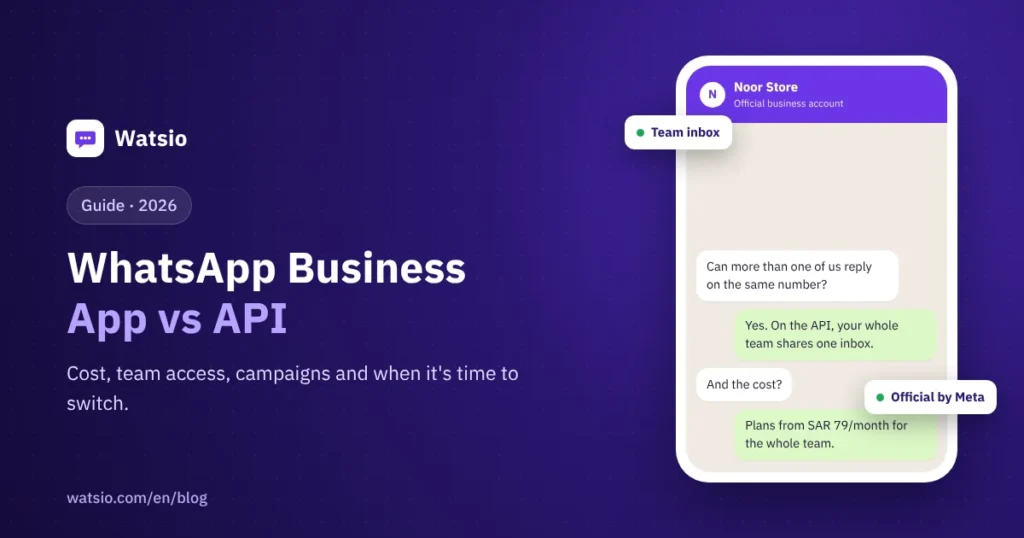
- A shared inbox: the whole team replies from the same number, and every chat has an owner. We explain it in our article on WhatsApp customer service for multiple agents.
- Official campaigns: with Meta-approved templates, sent to customers who opted in (details here).
- An AI assistant: answers repeated questions 24/7 and hands over to a staff member when needed.
- Integrations: order notifications from Salla, Zid and Shopify, and payment links inside the chat.
- Your business name instead of the number: once Meta approves your display name.
How much does the WhatsApp API cost in Saudi Arabia?
The cost has two parts:
- Meta fees per delivered message: about SAR 0.22 per marketing message and about SAR 0.04 per utility or authentication message, before VAT (Meta’s tariff since 1 October 2026, which changes every quarter). Messages your customers send you are always free, and your replies to them within the 24-hour window are free for the first 1,000 replies per month per number under Meta’s current policy.
- Platform subscription: at Watsio it starts at SAR 79 per month before VAT for the whole team, not per user.
Details and examples are in our article on WhatsApp API pricing in Saudi Arabia.
When should you move from the app to the WhatsApp API?
If two or more of these apply to you, the switch will most likely pay back more than it costs:
- You get dozens of chats a day or more.
- More than one employee replies to customers.
- You lose customers because replies are late after working hours.
- You want to send offers to a large customer base on a regular basis.
- You have an online store and want automatic order notifications.
- You need to know who replied to whom and how long the reply took.
What happens to my number when I switch?
You don’t lose your number: the same number moves to the official platform under your business name. So plan the switch for a convenient time, or start with a new number dedicated to the platform and keep your current number on the app. If your number is connected to another provider today, it can be moved to the new platform following Meta’s steps. You can keep using the WhatsApp Business app on the same number; chats show in both the app and Watsio, and the last 6 months of chats come with you.
How does Watsio help?
Watsio is a Saudi platform built on Meta’s official WhatsApp API: a shared inbox for your whole team on one number, an AI assistant that replies in your customer’s dialect and hands over to staff, official campaigns with approved templates, and integrations with Salla, Zid, Shopify and payment gateways. The price is per account, not per user, and you pay Meta for messages directly with no margin from us (Pricing). Our team helps you with connecting and verification over WhatsApp.
Frequently asked questions
Is the WhatsApp API free?
No. Meta charges for the messages you send based on their type, and messages your customers send you are always free. On top of that comes the subscription to the platform you use to manage chats. At Watsio it starts at SAR 79 per month before VAT.
Can I use the app and the API on the same number?
You can keep using the WhatsApp Business app on the same number; chats show in both the app and Watsio, and the last 6 months of chats come with you.
Do I need a developer to use the WhatsApp API?
No. Platforms like Watsio give you a ready-made dashboard for chats, campaigns and the AI assistant, and you connect your number inside the platform following Meta’s steps. You only need a developer if you want to connect a custom system through the API.
How long does the move from the app to the platform take?
Connecting the number itself takes about 10 minutes once your Meta Business account is ready. Business verification with Meta varies from days to weeks, depending on how complete your file is.
Read next
- WhatsApp Business Updates 2026: What Changed and Why It Matters
- WhatsApp Business Auto Reply: Greeting, Away and Quick Replies
- WhatsApp Usernames for Business: What Changes and How to Reserve
Sources
Last updated: November 2026 · Watsio team. Meta prices are approximate and change every quarter.