The summary in 3 points:
- White Friday in Saudi Arabia this year falls on Friday, 27 November 2026, exactly 3 weeks from today (6 November). That is barely enough time to prepare your templates and raise your messaging limit with Meta.
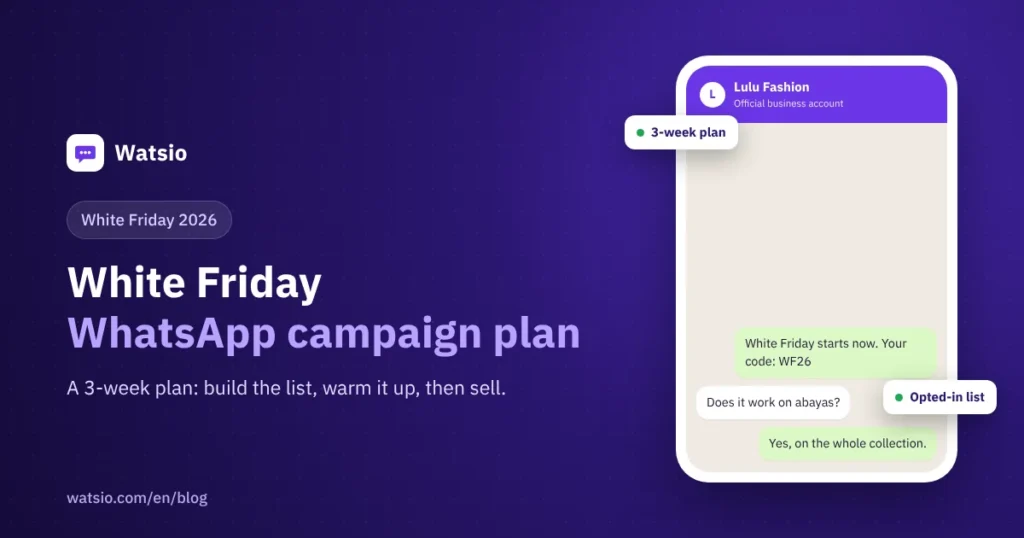
- Successful White Friday WhatsApp campaigns depend on sequence: week one for consent, templates and warming up your number; week two for segmentation, the AI assistant and abandoned carts; week three for scheduled sending and follow-up.
- Sending 5,000 marketing messages costs about SAR 1,100 in Meta fees under Meta’s current tariff, paid to Meta directly.
“Every year we prepare our White Friday offers in the last week and send to everyone at once, and before the offer reaches half our customers, sending stops.” This happens to many stores that treat WhatsApp as just a send button.
The official WhatsApp Business Platform by Meta is a powerful channel during sales seasons, but it has rules: templates go through review, a daily messaging limit rises gradually, and your number’s quality depends on how customers interact. Here is a practical plan from today, 6 November, until after the sale, so your WhatsApp store offers reach your customers on time.
Why start now instead of waiting for the last week?
The first reason is the messaging limit. Every new business account with Meta starts at 250 unique customers per 24 hours, then rises automatically to 2,000, then 10,000, then 100,000, then unlimited, based on your message quality and actual usage. The upgrade does not happen on request, and its timing cannot be guaranteed.
Simple math: if your limit stays at 250 a day, a list of 5,000 customers needs 20 days to reach everyone. The limit usually rises faster than that with good usage, but the timing of the upgrade is not guaranteed. So if you start after about 20 November, your limit may not rise in time for large lists.
The second reason is templates. Every marketing message you start needs a template approved by Meta. Review can end in rejection, and you need time to edit and resubmit.
| Phase | Dates | Key tasks |
|---|---|---|
| Week one | 6 to 12 November | Collect consent, clean the list, submit templates for review, start sending to engaged customers |
| Week two | 13 to 19 November | Segment customers, prepare the AI assistant’s answers, turn on abandoned carts, launch Click-to-WhatsApp ads |
| Week three | 20 to 26 November | Teaser messages, schedule sending, assign your team to conversations |
| Sale day | Friday, 27 November | Main send, quality monitoring, fast replies |
| After the sale | From 28 November | Thank-you message and review request |
Week one (6 to 12 November): what do you prepare now?
Collect consent and clean your list. Send only to customers who agreed to receive your offers: a consent checkbox on the checkout page, a WhatsApp link on your social accounts, or sign-up in your shop. Remove duplicate and wrong numbers and any number without clear consent, in line with WhatsApp policy and the Personal Data Protection Law (PDPL) in marketing.
Create your offer templates and submit them for review early. Write clearly: store name, type of offer, how long it lasts, and how to stop messages. Avoid exaggerated promises, and prepare two or three versions of each message in case one is rejected. Templates go through Meta review and we help you write them. Details are in the guide to WhatsApp message templates.
Start sending to engaged customers. Send a useful message to people who bought recently or messaged you, such as an invitation to join the early-access list for the sale. This kind of good usage with positive engagement is what helps raise your limit gradually.
Week two (13 to 19 November): how do you segment customers and prepare replies?
Segment your customers. Those who bought last season, those who abandoned a cart, those interested in a specific category, and your top customers. Each segment deserves its own message instead of one message for everyone.
Prepare the AI assistant. Seasonal questions are predictable: shipping time, return policy, how to use the coupon, and sizes. Add the answers to the assistant so it replies in the Saudi dialect 24/7 and hands special cases to your team. Read about AI auto-reply.
Turn on the abandoned-cart flow. A maximum of two reminders for opted-in customers: after one hour, then after 24 hours. Details are in the guide to connecting your store and recovering carts on WhatsApp.
Launch Click-to-WhatsApp ads. A customer who comes from an ad starts the conversation themselves, and if you reply within 24 hours, a free window of up to 7 days opens without Meta fees on messages. The ad budget itself is separate.
Week three and sale day: when do you send and how do you follow up?
Schedule sending at suitable times. Send between 9 am and 10 pm, and avoid prayer times and late-night hours. A teaser message one or two days before the sale, then the main send on the morning of Friday, 27 November, and a final reminder to engaged customers only.
Assign your team in the conversation inbox. Replies multiply on sale day, so decide who handles orders and who handles complaints. See how the shared team inbox works.
Watch your quality rating. If blocks or reports go up, stop sending and review the message and segment before you continue. Watsio pauses the campaign automatically if a template’s quality drops, to protect your number. For more, see how to send bulk messages without getting your number banned.
What should you send after White Friday?
After delivery, send a short thank-you message with a review request, with no extra offers in the same message. Pause marketing messages for a few days so customers do not feel spammed after a busy season.
How much does a White Friday campaign on WhatsApp cost?
An example of a store sending a campaign to 5,000 opted-in customers, with cart reminders and order notifications during the sale month:
| Item | Quantity | Approximate unit price | Total |
|---|---|---|---|
| Campaign messages (marketing) | 5,000 | SAR 0.22 | SAR 1,100 |
| Abandoned-cart reminders (marketing) | 1,000 | SAR 0.22 | SAR 220 |
| Order and shipping notifications (utility) | 2,000 | SAR 0.04 | SAR 80 |
| Replies in the free entry point window to ad leads | Depends on conversations | No Meta fees | SAR 0 |
| Watsio Starter subscription | One month | SAR 199 before VAT | SAR 199 |
| Approximate total | SAR 1,599 |
Of this, about SAR 1,400 is Meta fees under Meta’s current tariff, paid to Meta directly with zero margin for us. The example does not include your ad budget. Work out your own case with the WhatsApp message cost calculator, and see WhatsApp API pricing in Saudi Arabia.
Checklist before sale day
- Your official WhatsApp number is connected and your business is verified with Meta.
- Your customer list is clean, and every number on it has clear consent.
- Your teaser, offer, reminder and thank-you templates are approved by Meta.
- You started sending to engaged customers before 20 November to raise your limit gradually.
- Customers are split into segments, and each segment has its own message.
- The AI assistant knows the answers on shipping, returns and coupons.
- The abandoned-cart flow is on, with a maximum of two reminders.
- Sending is scheduled between 9 am and 10 pm, away from prayer times.
- Your team is assigned in the conversation inbox for sale day.
- A stop plan is ready if quality drops or blocks increase.
How does Watsio help?
Watsio is an official WhatsApp Business Platform by Meta for Saudi stores. From the Starter plan at SAR 199 a month before VAT, you get campaigns with official templates, customer segmentation, an AI assistant that replies in the Saudi dialect, Salla, Zid, Shopify and WooCommerce integrations, abandoned-cart recovery, and a shared conversation inbox from the Watsio dashboard in the browser, with 10,000 contacts. For larger lists, the Growth plan at SAR 499 before VAT expands to 50,000 contacts. See the details on the Watsio page for stores.
Related articles: Bulk messaging without getting your number banned and the guide to WhatsApp message templates. You can also see Watsio plan prices and try it free for 14 days with no card.
Frequently asked questions
When is White Friday 2026 in Saudi Arabia?
Friday, 27 November 2026, and many stores extend their offers for a few days before and after. So start preparing on WhatsApp at least three weeks ahead.
Can I send to all my customers at once on sale day?
That depends on your Meta messaging limit. A new account starts at 250 customers per 24 hours and rises automatically to 2,000, then 10,000 and beyond with quality and usage, so start sending to engaged customers early.
How much do 5,000 WhatsApp marketing messages cost?
About SAR 1,100 under Meta’s current tariff (5,000 × SAR 0.22), paid to Meta directly, in addition to the platform subscription.
What do I do if Meta rejects my offer template?
Edit the wording to make it clearer, include the store name, the offer details and how to stop messages, then resubmit it. That is why we recommend submitting templates in week one, with backup versions.
Should I send offers to numbers that did not agree to my messages?
No. Sending to numbers without consent breaks WhatsApp policy and increases blocks and reports, which lowers your number’s quality, in addition to the requirements of the Personal Data Protection Law.
Read next
- Ramadan 2027 WhatsApp Campaigns: A Plan from Now to Eid
- Click-to-WhatsApp Ads in Saudi Arabia: Setup and the Free Window
- WhatsApp Status Ads and Promoted Channels: A Business Guide
Sources
- Meta WhatsApp Business Platform messaging limits
- Meta WhatsApp Business Platform pricing
- WhatsApp Business Policy
Last updated: November 2026 · Watsio team.