Key takeaways:
- Telegram Business turns your account into a business account with opening hours, location, greeting and away messages, and quick replies. The features come with Telegram Premium.
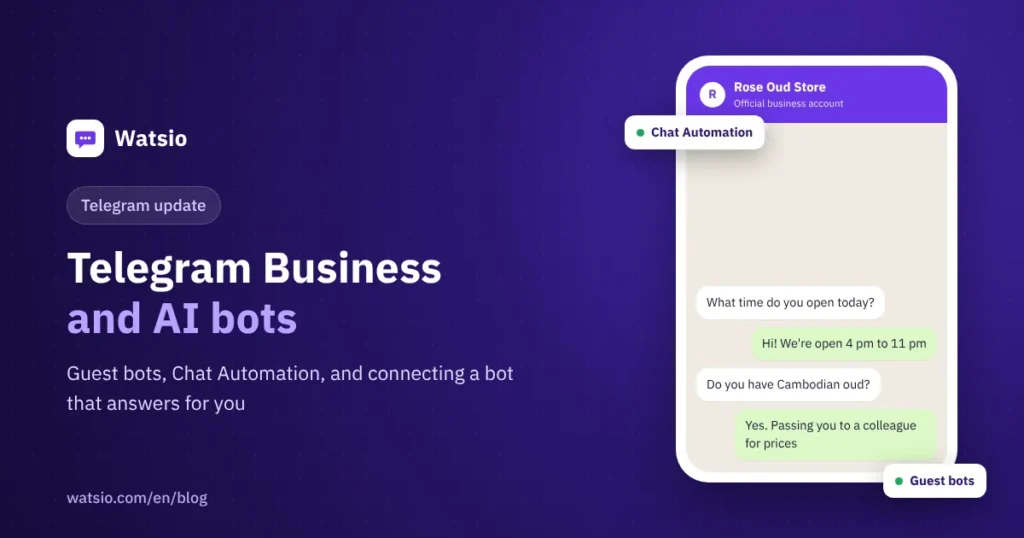
- The 7 May 2026 update added guest bots you can @mention in any chat, bot-to-bot communication, and Chat Automation, which connects a bot to your account to reply for you.
- Before a bot answers your customers, limit which chats it sees, check who built it, and route sensitive cases to a person.
“I want an AI bot that answers my customers on Telegram while I sleep. Is that possible?” Yes. Telegram lets you connect a bot to your account that receives messages and replies on your behalf, and you choose which chats it can enter. Since the May 2026 update, this sits in one setting called Chat Automation. This article covers the Telegram Business tools, what is new for bots, how to connect one, and what to watch.
What is Telegram Business?
Telegram launched it on 31 March 2024. It is a set of features that turns your account into a business account, found under Settings, then Telegram Business. According to Telegram, the features are currently available to Premium subscribers. They include:
- Opening hours and location: customers see whether you are open now and where you are on a map.
- Greeting messages: sent automatically to anyone who messages you for the first time.
- Away messages: for when you are closed or on vacation.
- Quick replies: type “/” in the message bar and pick a saved reply with text, photos or files. They work in private chats only.
- Start page: text and a sticker shown in an empty chat before the customer types.
- Chat labels: colors based on your chat folders, so you can sort customers by status or priority.
- Chat links: a link that opens a chat with you and a prefilled message, with a count of how many times it was tapped.
- Bots: connect a bot that processes messages and replies for you.
What is new in Telegram’s 7 May 2026 update?
The update focused on AI and bots. The parts that matter most for businesses:
| Feature | What it does | What it means for you |
|---|---|---|
| Guest bots | Call a bot by @mentioning it in any private chat or group, even if it is not a member | The bot sees only the message that tagged it and replies to it, not other messages or members |
| Bot-to-bot communication | A bot can respond to another bot | You can chain tasks, like one bot taking an order and another checking stock |
| Chat Automation | Connect a bot to your account to answer messages for you | Per Telegram’s announcement, every user can connect a bot from Settings |
| Streaming replies | The bot shows its answer as it is written | Replies feel faster to the customer |
| Custom AI styles | Write a prompt for a writing style and share it by link | Your team can write channel posts in one consistent voice |
How do you connect a bot that answers for your business on Telegram?
- Get the bot ready: build it yourself or with a developer through @BotFather, or pick a ready-made bot from a provider you trust. The developer turns on Business Mode for the bot in BotFather.
- Open Settings, then Chat Automation, or the bots section inside Telegram Business, depending on your app version.
- Enter the bot’s username and connect it to your account.
- Choose which chats it can enter: for example, exclude all your contacts, or let it answer new chats only.
- Test from a second account: ask real customer questions about prices, location and hours, and check the answers.
- Review chats for the first week and update the bot’s information before you rely on it.
Remember that a Telegram bot cannot start a conversation with a customer; the customer has to message first. The bot serves people who come to you. It does not find new customers on its own.
What should you check before a bot answers your customers?
- Privacy: a bot connected to your account sees messages in the chats you allow. Telegram’s announcement does not explain what data bots keep, so ask the provider, and read about Saudi PDPL and chat marketing.
- Correct information: a bot answers with what you give it. Without your current prices and hours, it may make things up or dodge, which hurts more than no reply.
- Handover to staff: complaints, refunds and exceptions must reach a person.
- Your personal account: if you use the same account for family and friends, exclude contacts from the bot.
For the difference between a classic chatbot and an AI agent, see AI agent vs chatbot.
Can a Telegram bot replace WhatsApp for your business?
In Saudi Arabia, usually not, because most customers message shops and clinics on WhatsApp. Telegram is useful for course communities, traders and large channels. The full comparison is in Telegram vs WhatsApp for business. If you want AI on WhatsApp, note that general-purpose assistants like ChatGPT have been banned on its Business Platform since January 2026. Business-specific AI is allowed.
How Watsio helps
Watsio focuses on WhatsApp: a business-specific AI assistant that learns from your website and files, replies in the customer’s Saudi dialect around the clock, understands voice notes and images, and hands chats to staff when needed. If you have customers on Telegram, you can receive those chats in the same inbox as WhatsApp and Instagram, so your team answers from one place. Plans start at SAR 79 a month before VAT, AI assistant included. See the team inbox.
Related reading: AI auto replies on WhatsApp and how to prepare your AI assistant before launch. You can also see Watsio plans and pricing and try it free for 14 days, no card needed.
Frequently asked questions
Is Telegram Business free?
According to Telegram, anyone can turn their account into a business account, but Telegram Business features are currently available to Telegram Premium subscribers.
How do I connect a bot that answers for my Telegram account?
Go to Settings, then Chat Automation, enter the bot’s username, and choose which chats it can enter, such as new chats only.
What are guest bots on Telegram?
Bots you can call by @mentioning them in any chat or group, even if they are not members. They see only the message that tagged them and replies to it.
Can a Telegram bot message new customers?
No. A bot cannot start a conversation with a user. The user must message it first or add it to a group.
Should I use ChatGPT as my business bot on Telegram?
Telegram allows AI bots, but a bot built for your business that knows your prices and services and hands over to staff when needed is a better fit than a general assistant that does not know your details.
Sources
- Telegram: Guest AI Bots, Bot-to-Bot Chats, Chat Automation (May 2026)
- Telegram Business announcement
- Telegram: Bots, an introduction for developers
Last updated: November 2026 · Watsio team.