Key takeaways:
- Click-to-WhatsApp ads run on Facebook and Instagram. When someone taps, a WhatsApp chat with your business opens. You create them in Meta Ads Manager.
- If you reply within 24 hours of the customer’s first message, a free window opens that can last up to 7 days per Meta’s current pricing page, with no Meta fee on marketing, utility or service messages.
- Your first reply is the most important part of the campaign: fast, on-topic, and ending with one question that moves the customer toward a purchase or booking.
“I want an Instagram ad that opens WhatsApp when people tap it. What do the chats cost after that?” That is what Click-to-WhatsApp ads do. You pay for the ad in Ads Manager, and you can reply to the chats it brings for free in a window of up to 7 days, as long as you answer within the first 24 hours.
What are Click-to-WhatsApp ads?
They are Facebook or Instagram ads whose button opens a WhatsApp chat with your business instead of a website. The customer sends a ready-made message with one tap, and the chat starts.
Unlike Status ads inside WhatsApp, these run on Facebook and Instagram and bring new people into WhatsApp, where the sale happens.
How do you set up a Click-to-WhatsApp ad, step by step?
- Get the number ready on the WhatsApp Business app or the WhatsApp Business Platform (API). Not sure which? Read WhatsApp Business app vs API.
- Connect the number to your Facebook Page in the Page settings, so it shows up as an option in the ad.
- Open Ads Manager and click Create. Pick an objective: engagement, leads, sales or traffic.
- Under Conversion location, choose Messaging apps, then WhatsApp, and select the number.
- Set budget, dates and audience. Meta recommends running the ad for at least seven days for best results.
- Build the creative: an image, video or carousel with a clear offer.
- Set up the message experience: write the prefilled message the customer sends, such as “I’d like details on the deep-cleaning offer”, and add quick questions they can pick from.
- Publish, with someone ready to reply from the first hour.
What is the free conversation window, and how do you open it?
This is a pricing rule on the WhatsApp Business Platform (API). Per Meta’s current pricing page: if a customer messages you from a Click-to-WhatsApp ad using WhatsApp on Android or iOS, and you reply inside the 24-hour customer service window, your reply is free and a “free entry point” window opens that may stay open for up to 7 days. While it is open, Meta does not charge for marketing, utility, authentication or service messages, templates included. Meta Business Agent messages are still charged inside it.
Two things to know:
- The window does not open if the customer messages from WhatsApp on desktop or web, according to Meta.
- The 24-hour customer service window is separate. If the customer goes quiet and that window closes, you can only send approved templates, but they stay free while the free window is open.
| Time since first message | What you can send | Meta fee |
|---|---|---|
| First 24 hours | Any reply. You must reply here to open the window | Free |
| After your reply, up to 7 days | Normal messages if the customer writes, or templates if they are quiet | Free inside the window, except Meta Business Agent messages |
| After the free window closes | Marketing or utility template as needed | Marketing about SAR 0.22, utility about SAR 0.04 |
How much does the free window save? A worked example
Say a campaign brings 500 chats a month and you send 5 replies in each. That is 2,500 messages.
- If you reply within 24 hours: every reply falls inside the free window, so about SAR 0 in Meta message fees.
- The same chats without a free window: the first 1,000 service messages are free, and the other 1,500 × SAR 0.04 come to about SAR 60.
- Follow-up after the window closes: a marketing template to 200 people who did not buy costs about 200 × SAR 0.22 = SAR 44 under Meta’s current rate card.
These are estimates; Meta can change rates each quarter. Try the WhatsApp cost calculator, and see WhatsApp’s new pricing from October 2026.
How do you write a first reply that turns a tap into a customer?
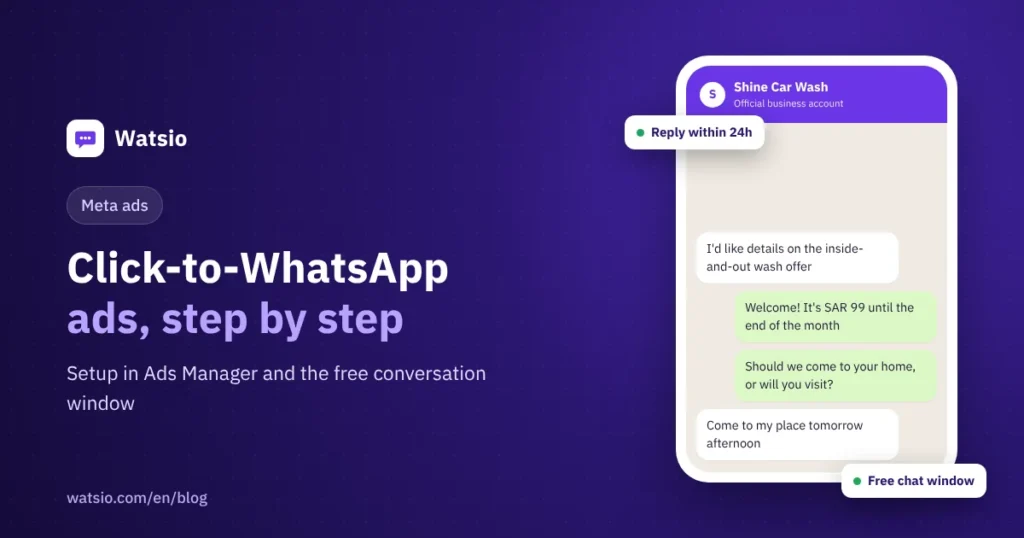
Do not send a generic greeting. Reply within minutes, answer the offer they saw, and ask one question.
Example for a car wash in Dammam:
“Hi, welcome! The inside-and-out wash for SAR 99 runs until the end of the month. Would you like us to come to your home, or will you visit the branch?”
Avoid these mistakes:
- Replying a day later, losing the free window and the customer.
- A long price list with no question to move the chat forward.
- An ad that says one price and a reply that says another.
For later follow-ups, read the WhatsApp message templates guide so your templates get approved.
How Watsio helps
Watsio does not create ads or attribute sales to each ad; that happens in Ads Manager. But the biggest loss in these campaigns is a slow reply, and that is where we help. Your number runs on the official WhatsApp Business Platform, and the AI assistant answers every chat within seconds in the customer’s dialect, day and night, so you open the free window without missing a chat. It books appointments and hands ready buyers to a staff member. Plans start at SAR 79 a month before VAT. See Watsio for shops.
Related reading: AI auto replies on WhatsApp and WhatsApp API pricing in Saudi Arabia. You can also see Watsio plans and pricing and try it free for 14 days, no card needed.
Frequently asked questions
Where do Click-to-WhatsApp ads appear?
On Facebook and Instagram. You create them in Meta Ads Manager, and when a customer taps the button, a WhatsApp chat with your business number opens.
How do I open the free conversation window?
Reply to the customer who came from the ad within 24 hours of their first message, with any message type. A free window then opens that can last up to 7 days per Meta’s current pricing page, templates included, except Meta Business Agent messages.
Does the free window cover customers who message from WhatsApp Web?
No. According to Meta’s documentation, the window applies to messages from the ad sent from WhatsApp on Android or iPhone, not desktop or web.
What happens if I reply after more than 24 hours?
You miss the free window and the customer service window closes, so you can only message the customer with an approved template, charged under Meta’s current rate card, such as a marketing template at about SAR 0.22.
Does the ad budget include WhatsApp message fees?
No. You pay the ad budget in Ads Manager, and WhatsApp message fees are separate. Messages inside the free window carry no Meta fee, except Meta Business Agent messages.
Sources
- Meta for Developers: WhatsApp Business Platform pricing (Free entry point windows)
- WhatsApp Business: Create ads that click to WhatsApp
- Meta for Developers: Click to WhatsApp ads
Last updated: November 2026 · Watsio team.