Key takeaways:
- A restriction is temporary: you can reply to chats other people started, but you can’t start new chats until it ends.
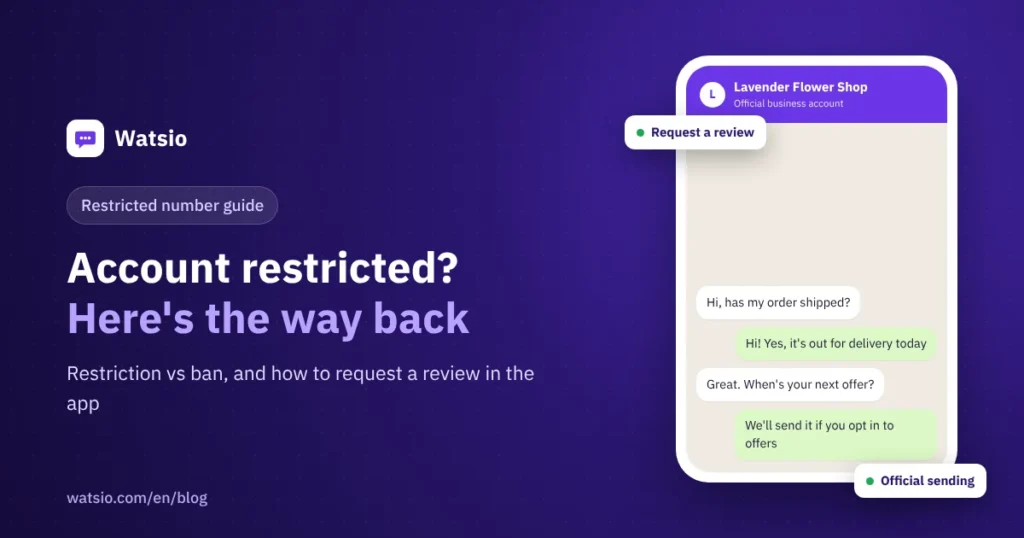
- A ban is different. If WhatsApp says the account is not allowed to use WhatsApp, the official fix is to tap “Request a review” in the app, once.
- Most cases come from unofficial bulk-sending tools or messages people never asked for. The real fix is changing how you send.
“I opened WhatsApp and saw: Your account is restricted right now. What happened? Did I lose the number?” A restriction is a temporary measure WhatsApp uses when activity looks like spam. Your number is still yours, and you can keep replying to customers who messaged you. You just can’t start new chats until the restriction ends.
Below: how to tell the cases apart, how to recover, and how to prevent a repeat.
Restricted, temporarily banned or banned: what’s the difference?
Each case has a different fix. Match the in-app message to this table:
| Status | What you see | What you can do | The fix |
|---|---|---|---|
| Restricted | A notice that your account is restricted right now | Reply only to chats others started | Stop the cause and wait for the restriction to end |
| Temporarily banned | A temporary ban message with a timer | Nothing until the timer ends | Usually a modified app: switch to the official app |
| Banned | “This account is not allowed to use WhatsApp” | You can’t use the number on WhatsApp | Tap “Request a review” in the app |
| API number enforcement | An alert in Business Support Home | Depends on the type and length of the restriction | “Request Review” within 90 days |
Why does WhatsApp restrict a number?
For businesses, the usual causes are:
- Unofficial bulk-sending tools: software that links your number through a QR code and blasts thousands of numbers from the regular app.
- Messages people didn’t ask for: if you message lots of numbers that don’t know you or never reply, and some of them block or report you, WhatsApp reads it as spam. Since October 2025, WhatsApp has also been testing a monthly limit on messages sent to people who don’t reply.
- Modified apps: versions like WhatsApp Plus or GB WhatsApp are unofficial, and using them puts the account at risk of a ban.
- Adding people to groups without permission, or sending the same message and link to a large number of people in a short time.
For the full playbook on safe sending, read our guide to sending WhatsApp campaigns without getting your number banned.
How do you get your account back, step by step?
- Identify the message: restricted, temporarily banned or banned. Know which one before you act.
- Stop the cause immediately: disconnect any unofficial sending tool or add-on. Open “Linked devices” in settings and log out of any device you don’t recognize.
- If you’re restricted: keep replying to existing customers. Don’t start new chats to the same list from a second number, because that repeats the same pattern. The restriction ends after the period WhatsApp sets.
- If it’s a temporary ban from a modified app: wait for the timer to end, back up your chats, then install the official WhatsApp or WhatsApp Business app from the store.
- If you’re banned and think it’s a mistake: tap “Request a review” in the app and follow the steps. Each request covers one phone number, and sending more requests won’t speed things up.
- Track the outcome: open WhatsApp to check the status. You’ll get a notification once a decision is made.
- Change how you send before you resume, or the restriction will likely return.
What if your number is on the official WhatsApp API?
On the WhatsApp Business Platform (API), enforcement works differently. Meta’s documentation describes escalating restrictions: a 1- or 3-day block on opening marketing, utility or authentication conversations, then a 5- or 7-day block on opening any conversation, then an account lock, and possibly permanent disablement after repeated violations.
You see your account status and any restrictions in Business Support Home. From there, pick the violation, click Request Review and add your explanation. Any violation can be appealed within 90 days, and Meta says a decision typically arrives within 24 to 48 hours.
There’s one more thing to watch on the API: message quality. Customer blocks and reports affect your quality and your daily messaging limit, which starts at 250 unique customers per 24 hours for new accounts. We compare both setups in WhatsApp Business app vs API.
How do you stop it from happening again?
- Use the WhatsApp Business app for day-to-day conversations, not big campaigns.
- For campaigns, use the official route with Meta-approved templates. See our guide to official WhatsApp bulk messages.
- Only message customers who agreed to hear from you, and record when and how they agreed. Saudi law expects this anyway, as covered in PDPL and WhatsApp marketing.
- Make opting out easy in every marketing message.
- Don’t hit your whole list at once. Start with your most engaged customers.
How Watsio helps
Watsio runs on the official Meta Cloud API. It can’t lift a restriction, and it can’t promise your number will never be restricted. What it does is remove the two biggest causes: you send campaigns with Meta-approved templates instead of unofficial QR tools, and you segment customers by consent and interest so you don’t message people who never asked. Note that the number moves from the app to the platform, so use a second number if you want to keep the app. Plans start at SAR 79 per month before VAT. Estimate Meta’s message fees with the WhatsApp cost calculator.
Related reading: How to send WhatsApp campaigns without a ban and the WhatsApp message templates guide. You can also see Watsio plans and pricing and try it free for 14 days, no card needed.
Frequently asked questions
How long does a WhatsApp restriction last?
WhatsApp sets the length case by case, and the restriction is temporary and ends on its own. During that time you can reply to chats other people started. Most important, stop the cause so it doesn’t come back for longer.
Can I send more than one review request?
WhatsApp says repeated review requests won’t speed up the process, and each request covers one phone number. Send one clear request and wait for the decision notification.
Can GB WhatsApp or WhatsApp Plus get my number banned?
Yes. They are unofficial modified apps, and using them puts the account at risk of a temporary or permanent ban. Back up your chats and switch to the official app.
Does moving to the WhatsApp API stop restrictions for good?
No. The official route removes common causes like QR tools and random blasting, but Meta can still restrict any number that breaks its policies or collects many blocks and reports.
What if my review is rejected?
If the decision stays unchanged, the number usually won’t come back to WhatsApp. Start with a new number and use official, consent-based sending from day one so it doesn’t happen again.
Sources
- WhatsApp Help Center: About account bans
- WhatsApp Help Center: About restricted accounts
- WhatsApp Help Center: About unofficial apps
- Meta for Developers: Policy Enforcement
Last updated: November 2026 · Watsio team.