Key takeaways:
- On the WhatsApp Business app, calls work like normal WhatsApp calls on your phone and carry no Meta fees, but one device and one person answer.
- On the official platform, Meta offers the Calling API: customer-to-business calls are free for the business, and business-to-customer calls need permission and are charged per minute.
- Calling on the platform needs a provider that supports it and, per Meta’s documentation, a daily messaging limit of at least 2,000 customers.
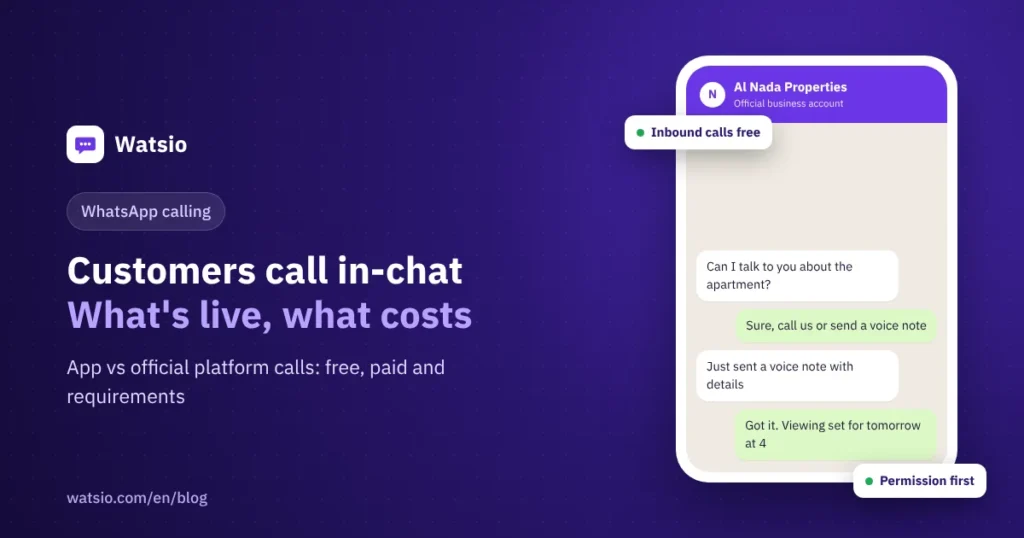
“I want customers to call me on WhatsApp instead of my mobile number. How much will a call cost me?” If you’re on the WhatsApp Business app, customers can already call you like any WhatsApp call, with no Meta fees. If your number is on the official WhatsApp platform (API), calling is a separate service called the WhatsApp Business Calling API, with its own rules and pricing.
Here’s what’s available, who pays, and when calling is worth switching on.
What is WhatsApp Business calling (Calling API)?
It’s a Cloud API feature that lets a business receive voice calls from customers inside WhatsApp, and call them back with their permission, over the internet (VoIP). The customer sees a call button in the business chat, or taps a call button inside a message, and the call reaches the business’s calling system instead of a single phone.
Meta says the number must be on Cloud API, not on the WhatsApp Business app. Video calls and screen sharing are listed in its documentation as planned or in development, so voice is what’s available today.
Who calls whom, and what does it cost?
| Call type | Requirement | Cost to the business |
|---|---|---|
| Customer calls the business | Available wherever Cloud API is available | Free |
| Business calls the customer | Prior permission from the customer | Per minute, by the customer’s country code and monthly volume tier |
| Call permission request | Sent to the customer as a message | Charged as a message under messaging pricing |
| Call on the WhatsApp Business app | On your phone or linked computer | No Meta fees |
Outbound calls are billed in 6-second pulses, and a partial pulse counts as a full one. So a 56-second call is billed as 10 pulses. Per-minute rates vary by country, and Meta has billed Saudi accounts in SAR since 1 April 2026, so check Meta’s current rate card before you plan.
What do you need before you turn calling on?
- A number on the official platform: the Calling API doesn’t work on a number registered in the WhatsApp Business app, so the number must be on Cloud API.
- A high enough messaging limit: Meta’s documentation requires a daily messaging limit of at least 2,000 customers. New accounts start at 250 and move up with quality and usage.
- A provider that supports calling: you need calling software or a contact center that receives calls over WebRTC or SIP, plus staff to answer.
- Call hours: Meta lets you set the hours you take calls. Outside them, customers are directed to message you or request a callback.
- Customer permission for outbound calls: you send a permission request. On live accounts the limit is one request per day and two per week for the same customer. If calls repeatedly go unanswered, Meta warns you and then revokes the permission automatically.
- Country availability: business-initiated calls aren’t available for business numbers in the US, Canada, Egypt, Vietnam and Nigeria. Saudi Arabia isn’t on that list at the time of writing.
When are calls worth it for your business?
A call helps when the topic is hard to type or needs a quick decision:
- Clinic: a patient with a complex admin question about appointments or insurance. Medical answers still belong with the doctor.
- Real-estate office: a buyer ready to view a unit who wants to settle details.
- Restaurant: a large event order or a private booking.
- Online store: a delivery problem that needs an instant fix.
Before you switch it on, ask: will someone be free to answer during call hours? An unanswered call annoys a customer more than a slightly late message, so start with set hours and a small team, then expand.
On the other hand, most daily questions such as price, hours, location and order status are faster by message. Many customers also prefer sending a voice note to calling, and that’s where an assistant that understands voice notes pays off. See our guide to AI auto-replies on WhatsApp.
App or platform: where should calls live?
If you’re a small business with one person answering the phone, calls on the WhatsApp Business app are enough. As the team grows, you need a shared inbox for messages, which means moving the number to the official platform. Calling then becomes a separate decision: enable the Calling API with a provider that supports it, or keep calls on a regular phone line and show it on your business profile. We compare both setups in WhatsApp Business app vs API, and we track the feature in the top WhatsApp Business updates of 2026.
How Watsio helps
To be clear: Watsio doesn’t support WhatsApp calling today. If in-app calls are core to your service, get them from a provider that supports the Calling API. What Watsio covers is the text and voice-note side of the conversation: the AI assistant listens to voice notes and replies by voice or text in the customer’s dialect on every plan, with monthly voice minutes starting at 200 on the Lite plan at SAR 79 per month before VAT, and it hands the chat to a staff member when needed. Running a clinic? See Watsio for clinics.
Related reading: WhatsApp API pricing in Saudi Arabia and the shared WhatsApp team inbox. You can also see Watsio plans and pricing and try it free for 14 days, no card needed.
Frequently asked questions
Are customer calls to a business on WhatsApp free?
Yes. According to Meta’s documentation, all calls a customer starts to a business through the Calling API are free for the business. Fees apply to calls the business starts.
Can I call a customer from the WhatsApp API without permission?
No. Outbound calls need the customer’s prior permission. The permission request itself is sent as a message and charged under messaging pricing, and there’s a cap on permission requests per customer.
Are video calls available for businesses on the WhatsApp API?
Meta’s documentation lists video and screen sharing as planned or in development. Voice calls are what’s available today.
Is WhatsApp Business calling available in Saudi Arabia?
Customer-to-business calls are available wherever Cloud API is available, and Saudi Arabia isn’t among the countries excluded from business-initiated calls in Meta’s documentation at the time of writing.
Does Watsio support WhatsApp calls?
No, Watsio doesn’t support WhatsApp calls today. It supports text chats and voice notes, and the AI assistant listens to voice notes and replies by voice or text on every plan.
Sources
- Meta for Developers: Cloud API Calling
- Meta for Developers: Calling API Pricing
- Meta for Developers: Pricing on the WhatsApp Business Platform
Last updated: November 2026 · Watsio team.