Key takeaways:
- Customers can message you at a name like rayhana.store instead of a number. Reservations opened in late June 2026; rollout is gradual through year end.
- Businesses can pick a username on the WhatsApp Business app or the business platform, and well-known names are held for their owners to prevent impersonation.
- The biggest impact: some customers may message you without their number showing, so you should not identify customers by phone number alone.
“WhatsApp now has usernames like Instagram. Should I reserve my shop’s name before someone else grabs it?” Fair worry. Short answer: yes, reserve your business name in WhatsApp settings as soon as the option reaches you. It takes seconds, and if you own the same name on Instagram or Facebook you can claim it through Accounts Center.
This guide covers what usernames are, the naming rules, how to reserve one, and what actually changes in how you deal with customers.
What is a WhatsApp username?
WhatsApp announced usernames on 29 June 2026 and opened reservations that week. The idea: share a name instead of your phone number, and people message you through it. WhatsApp describes it as a privacy feature, not a new social network.
Key points WhatsApp has confirmed:
- A phone number is still required to register. The username is an addition, not a replacement.
- There is no public directory and no account suggestions. People must know your exact username to message you the first time.
- When someone messages you for the first time via your username, your phone number is hidden from them if you have one set.
- The rollout is gradual over the coming months, and WhatsApp notifies you in the app when the feature reaches your country.
What are the username rules?
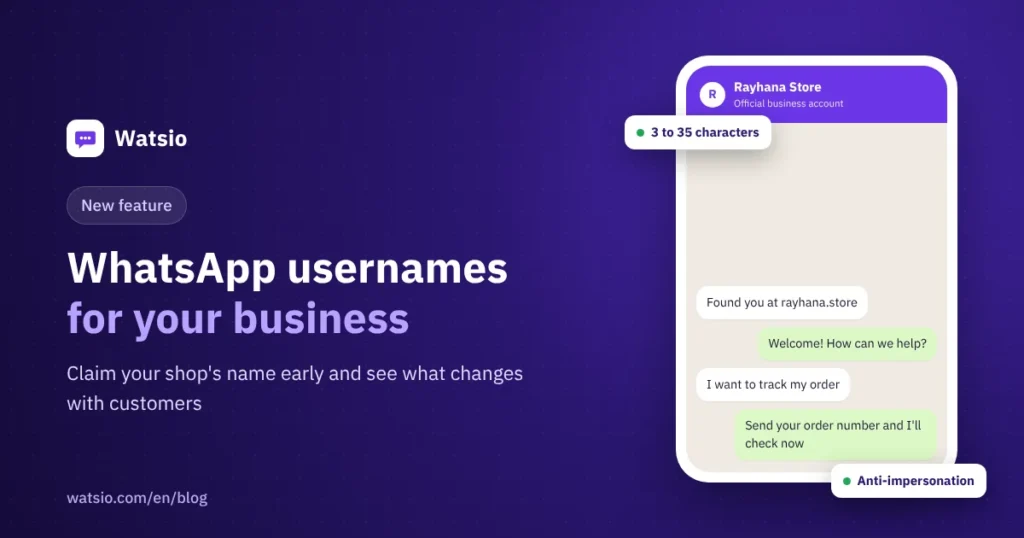
A username is 3 to 35 characters long and uses lowercase Latin letters, numbers, periods and underscores, with at least one letter. You can change it later, but WhatsApp limits how often.
There is impersonation protection too. Names of public figures, government entities and Meta-verified accounts are held for their owners, along with lookalike variants. Words like bank, government, police and verified are blocked. WhatsApp can revoke a username and ban the account if it is used for impersonation or scams.
Examples for a fictional Riyadh business, “Rayhana”:
| Choice | Example | Note |
|---|---|---|
| Business name plus type | rayhana.store | Clear and easy to remember |
| Business name plus city | rayhana_riyadh | Useful if the main name is taken or you have branches |
| Same as your Instagram | rayhanastore | Keeps your identity consistent |
| Contains a blocked word | rayhana.verified | Rejected because the word is blocked |
| Long name with random numbers | rayhana_store_2026_1 | Hard to remember and looks like a scam account |
How do you reserve a username for your business?
- Update WhatsApp to the latest version.
- Go to Settings, then Account, then Username. If you do not see it yet, reservations have not reached your account; wait for the in-app notice.
- If you own the same name on Instagram or Facebook, add your WhatsApp account to Meta’s Accounts Center to verify ownership and claim it. This is optional and can be undone.
- Type the name you want. If it is taken, use the built-in username generator for alternatives.
- Confirm the reservation and wait for the feature to go live in Saudi Arabia.
- Once live, add the username to your other profiles, website and printed materials.
What is a username key?
A username key is an optional extra layer. If someone turns it on, a new contact needs both the username and the key to start a chat. The key can be reset at any time.
Customers usually start the chat with a business, so the key rarely affects you. Enabling it on your business number would make it harder for new customers to reach you.
What changes for your business with usernames?
According to WhatsApp’s usernames FAQ, businesses on the WhatsApp Business app or the business platform can choose a username, and the business’s phone number is still shown when it contacts someone for the first time. Business accounts also show extra signals such as verification. If you want the verified badge, see WhatsApp Business verification in Saudi Arabia.
The bigger change is on the customer side: a customer with a username may message you without their number showing. On the business platform, Meta introduced business-scoped user IDs, unique per customer within a business portfolio. They started appearing in message webhooks in April 2026, and sending to them has been supported since July 2026. A customer’s number may be missing in some cases, for example when you have not exchanged messages in the last 30 days.
What this means in practice:
- Do not rely on the phone number alone to match a customer to an order. Ask for an order number or booking name.
- Review any system that matches customers by number, such as loyalty or invoicing.
- Some automated verification code templates still require a phone number, per Meta’s documentation.
Watch for scammers too: a wave of new names is a chance for someone to copy your shop’s name. See protecting your business WhatsApp from scams.
Does a username replace your WhatsApp link?
No. A customer has to know and type your exact username, while a wa.me link or QR code opens the chat in one tap. Use both: the username in your branding and print, the link in ads and on your website. More in WhatsApp links and QR codes for your business.
How Watsio helps
Watsio does not manage usernames; you reserve the name in WhatsApp itself. But once customers reach you, by name, number or link, Watsio gathers their chats in a shared team inbox, the AI assistant replies 24/7 in the customer’s dialect, and bookings and orders are logged inside the chat. Watsio runs on Meta’s official Cloud API, and plans start at SAR 79 per month before VAT. See details on the pricing page.
Related reading: The biggest WhatsApp Business updates of 2026 and WhatsApp Business app vs API. You can also see Watsio plans and pricing and try it free for 14 days, no card needed.
Frequently asked questions
What is a WhatsApp username?
A name you choose for your account so people can message you without your phone number. WhatsApp announced it in June 2026 and is rolling it out gradually through the end of the year.
Can I use WhatsApp without a phone number now?
No. A phone number is still required to register. The username is an optional addition for sharing your account without your number.
How do I reserve a username for my business?
Update WhatsApp, then go to Settings, Account, Username. If you own the same name on Instagram or Facebook, add WhatsApp to Accounts Center to verify ownership.
Can someone else take my brand name?
WhatsApp holds well-known names and lookalikes for their owners and revokes names used for impersonation. Still, it is best to reserve your name yourself as soon as you can.
Will I see a customer’s number if they message me by username?
Not always. A customer with a username may message you without their number showing, so identify customers by order number or booking name.
Sources
Last updated: November 2026 · Watsio team.